
Overview
We developed 3 styles of user manual cover for products in different levels: high-end product, mid-end product and entry-level product.
High-end Product
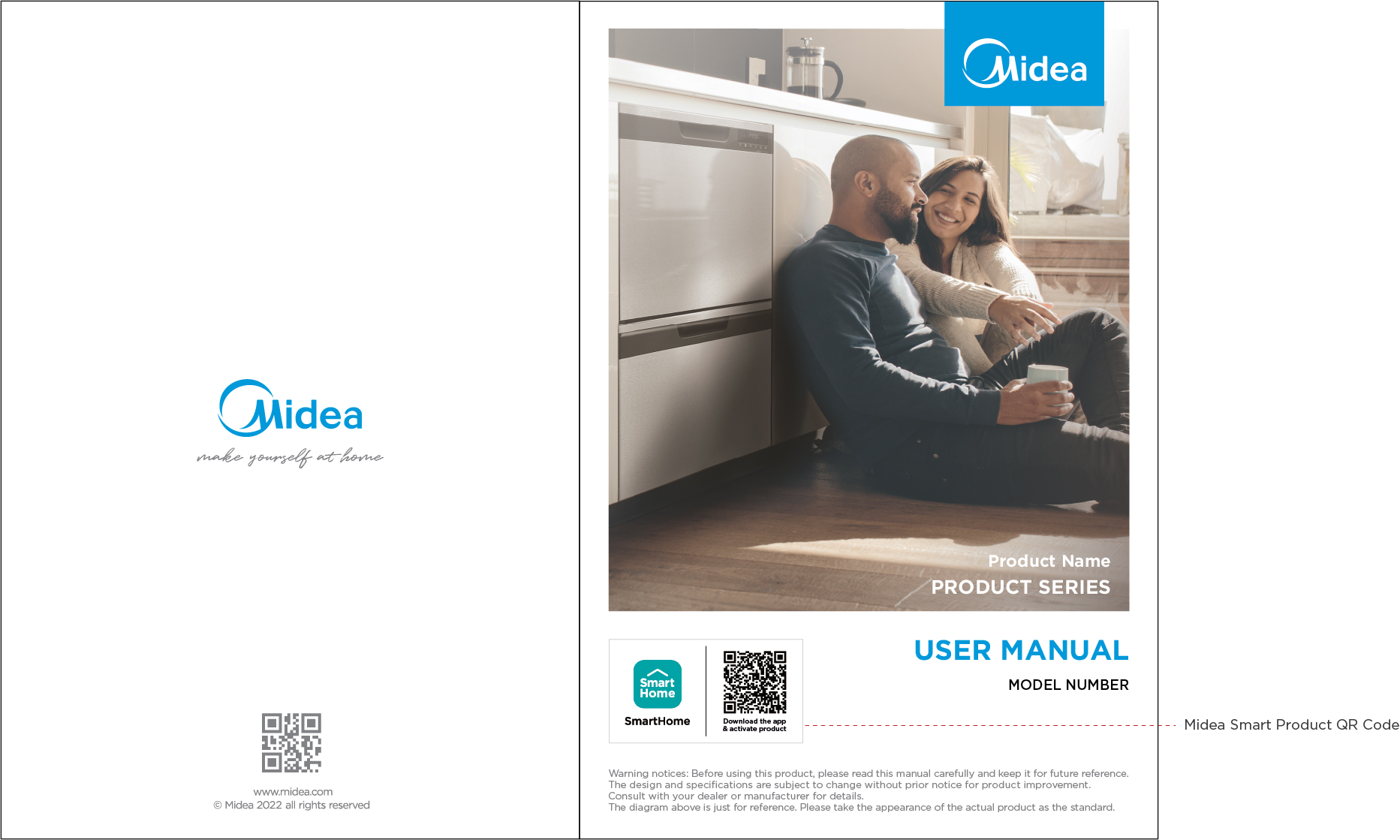
For high-end product, we use product image in sceneries with human touch as the main photo on the cover.
- This cover shall be color-printed.
- Photo should strictly follow Midea Photography Style(https://www.mideabrandbook.com/content-library/guidelines/visual-identity/photography-style/)
Mid-end Product
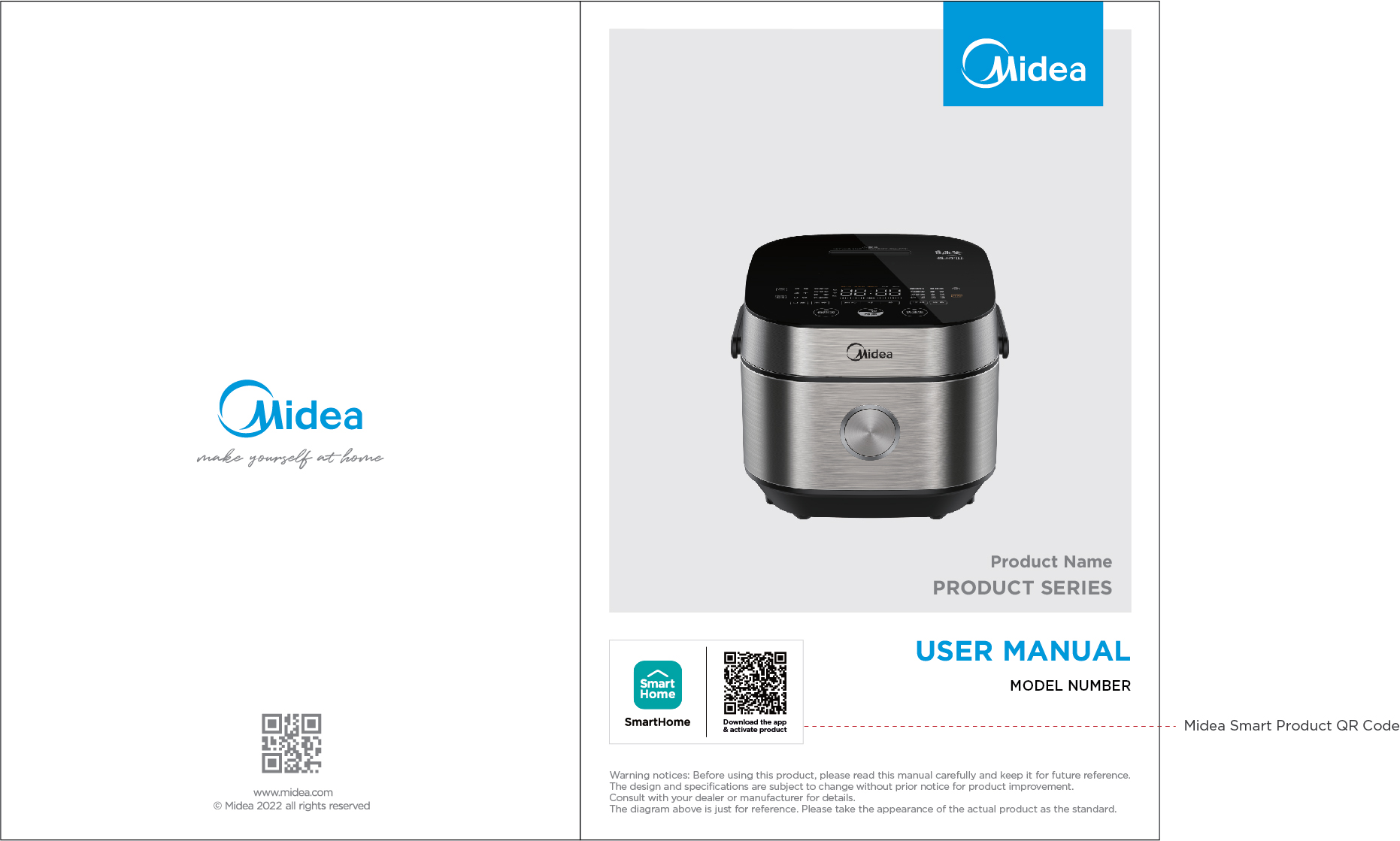
For mid-end product, we show our product image with color in a desired angel on the cover.
- This cover shall be color-printed.
- Product image should be in front angle, or slightly upper front angle
- No shadow is allowed on the product image
- Photo should strictly follow Midea Photography Style(https://www.mideabrandbook.com/content-library/guidelines/visual-identity/photography-style/)
Entry-level Product
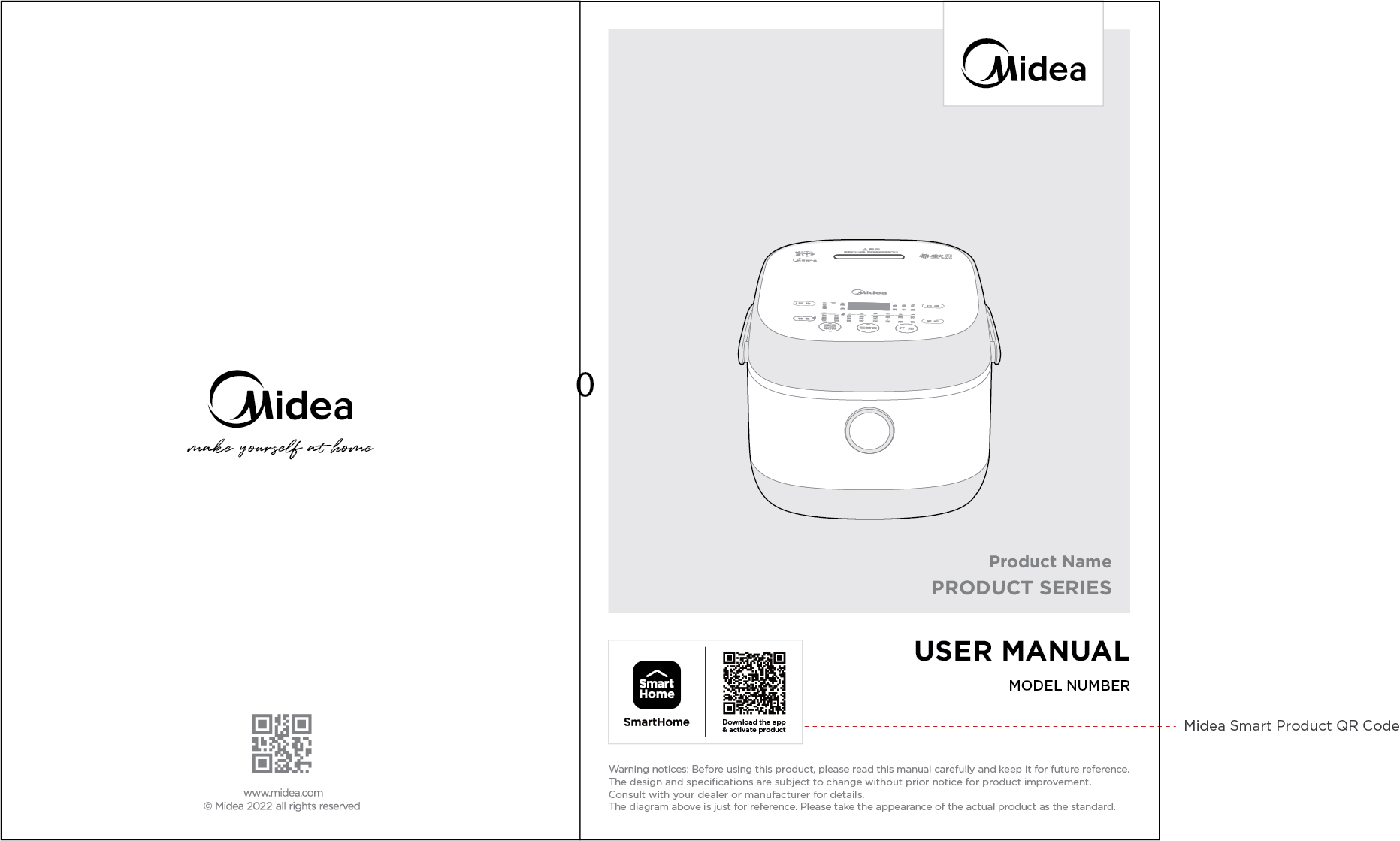
For entry-level product, we show our product outline with a desired angel on the cover.
- This cover shall be printed in black&white or grey scale
- Product image should be in front angle, or slightly upper front angle
- No shadow is allowed on the product image
- The outline of the product must be based on an actual photo of the product WITHOUT any modification.
- You may ONLY remove components that are not critical/iconic to the product ifthey are too small to be printed clearly.
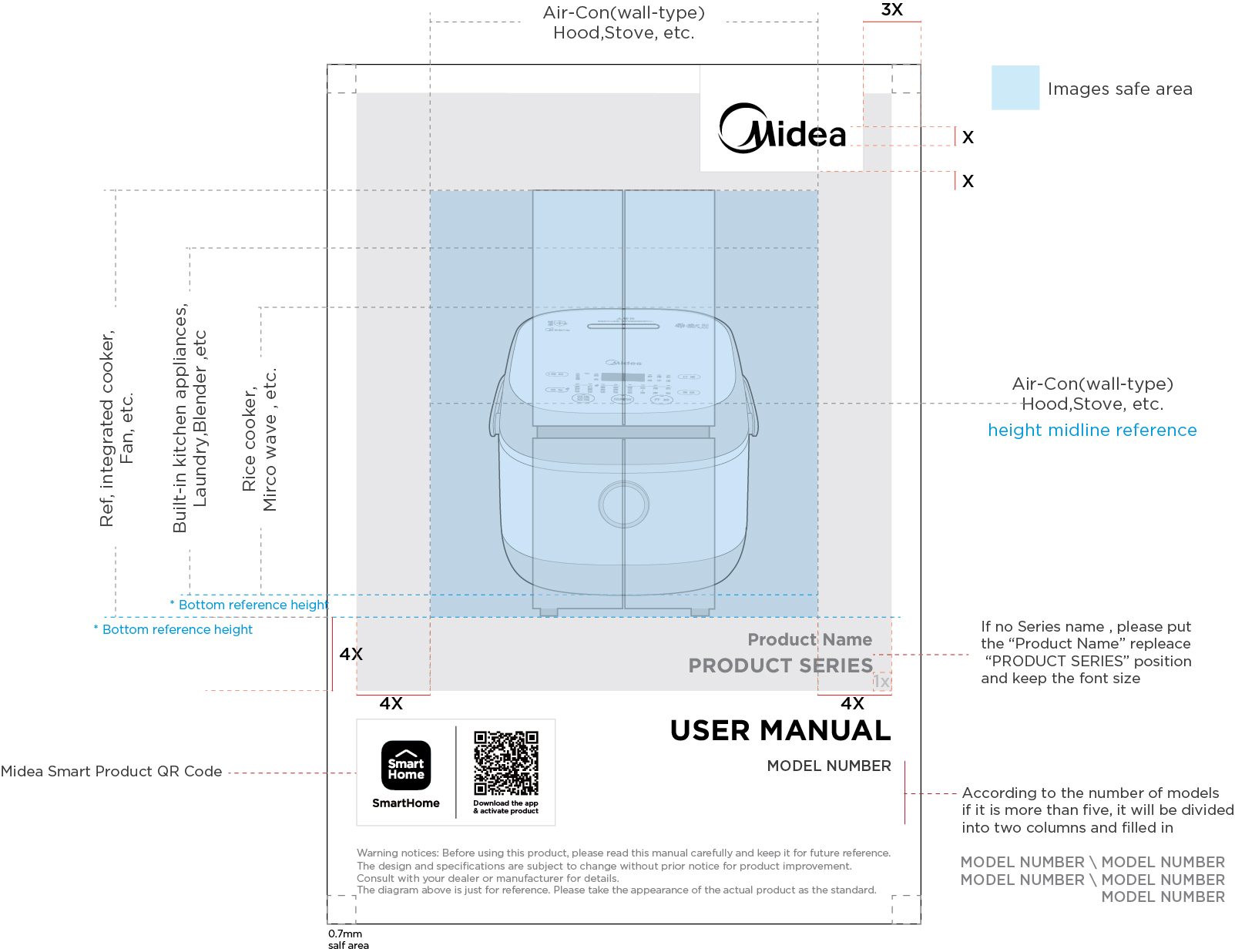
Safe Space and Product Proportion
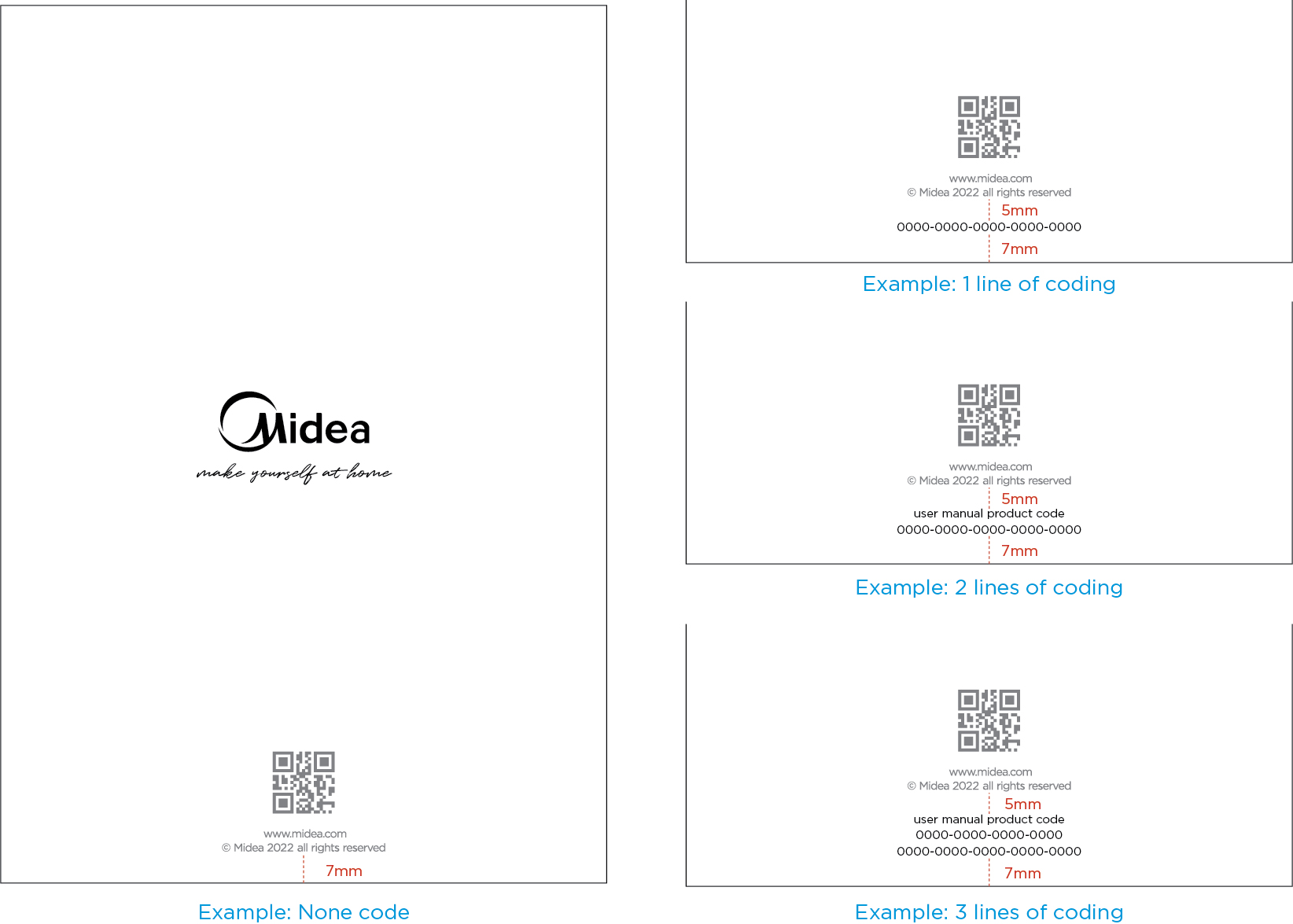
Back Cover Design
- Product code can be put on back cover.
- Maximum 3 lines of product code is allowed.
- Space between the first line of the ‘product code’ and the ‘copyright information’ is 5mm, while 7mm space is required between the last line of the product code and the page edge.
Downloads
-
Go to Download
Midea Smart Product Manual Cover Templates ZIP, 191.48 MB