
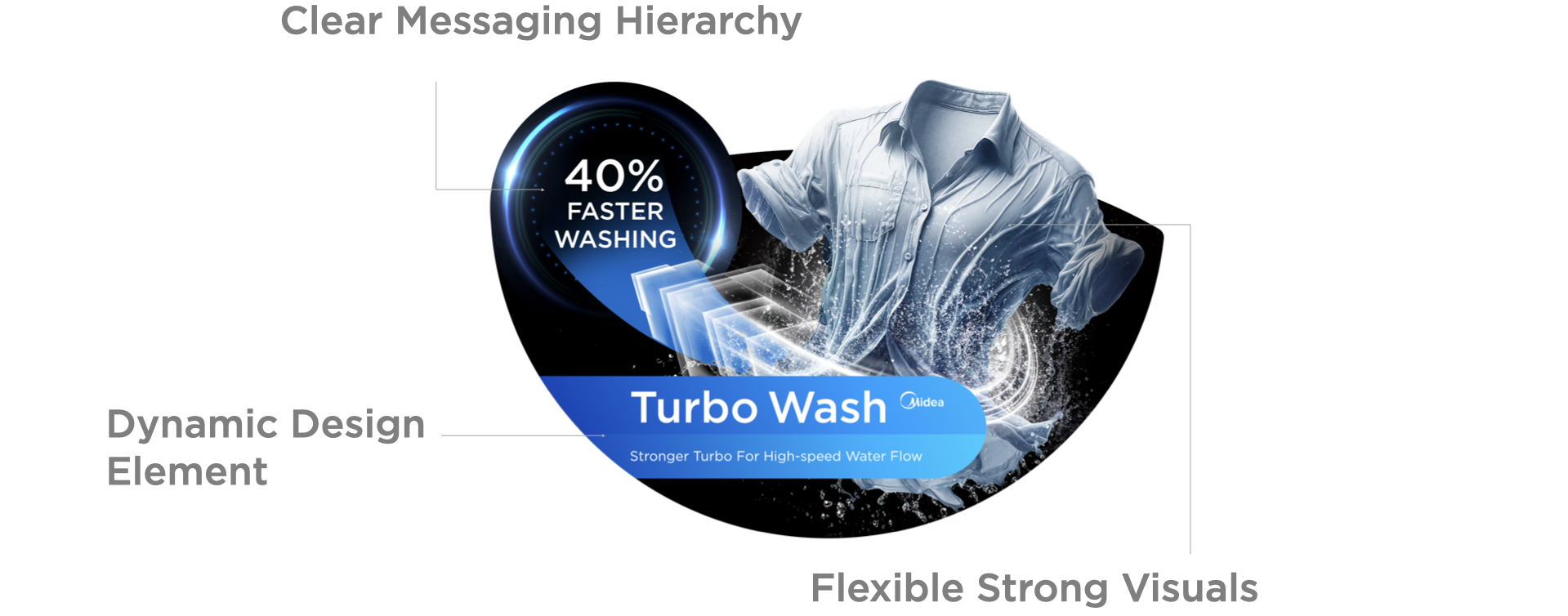
The dynamic design element must be present within key message POP and highly recommended for standard message POP. It can be presented in different application styles according to product messages.
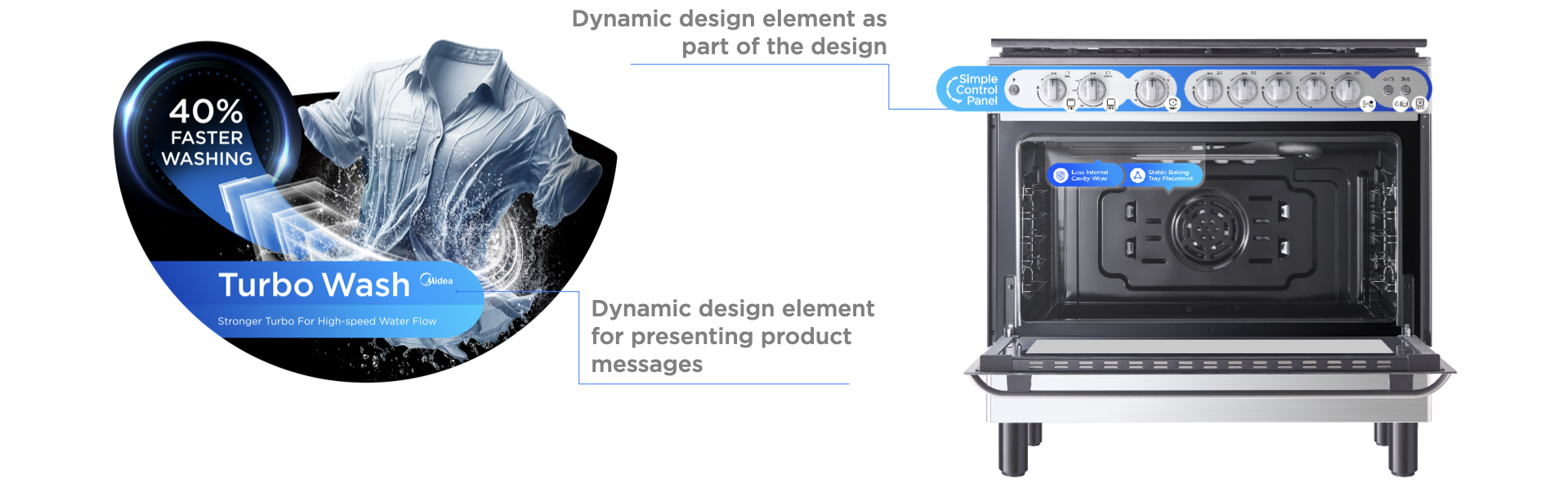
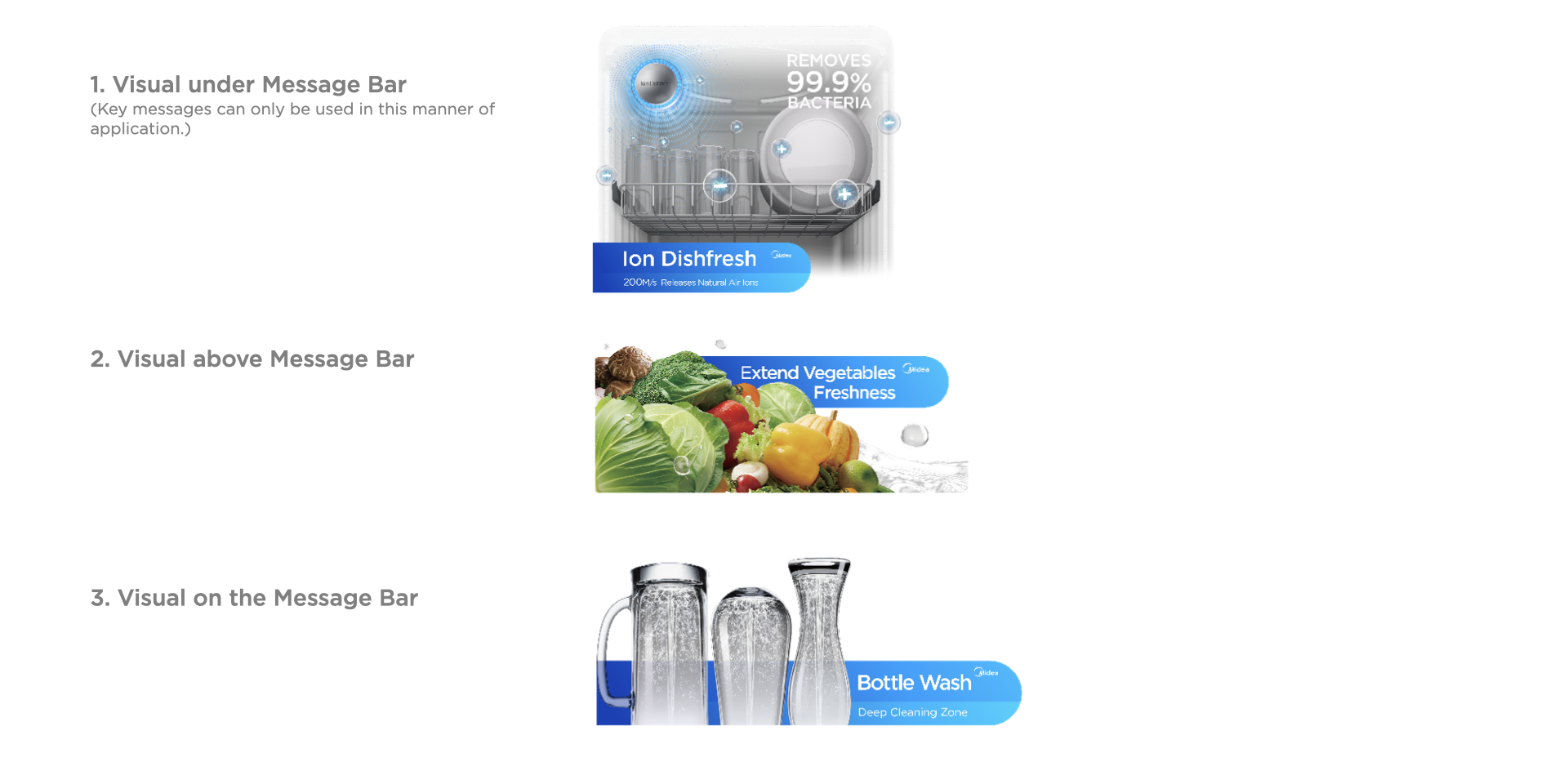
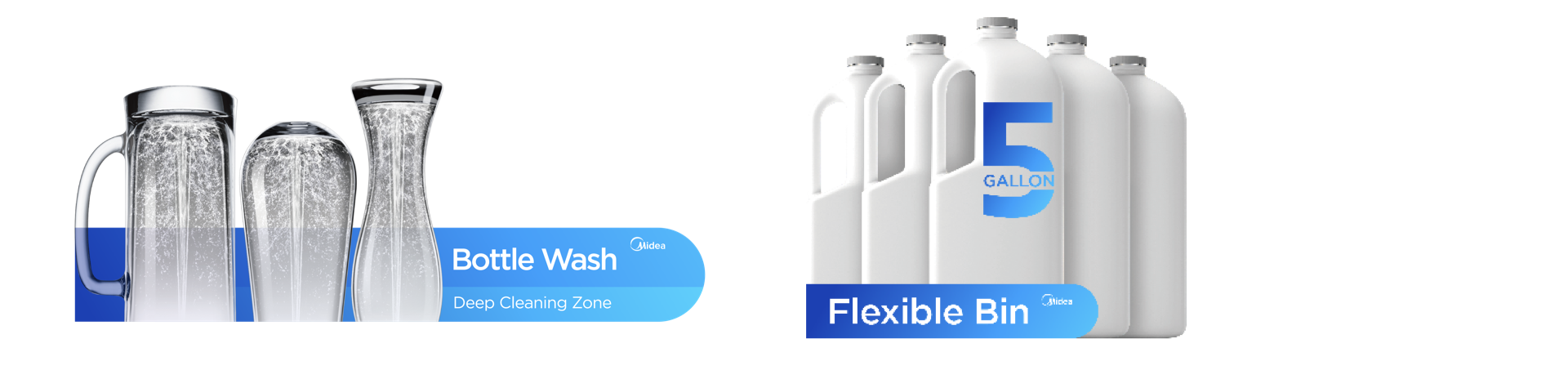
Visualizing product benefits with powerful imagery can help to quickly attract consumers’ attention and directly convey the product’s selling point. Utilizing dynamic, graphic effects can further help to demonstrate the product features. Additionally, strong visuals that seamlessly integrate into the product design add to the overall impression to the consumer.
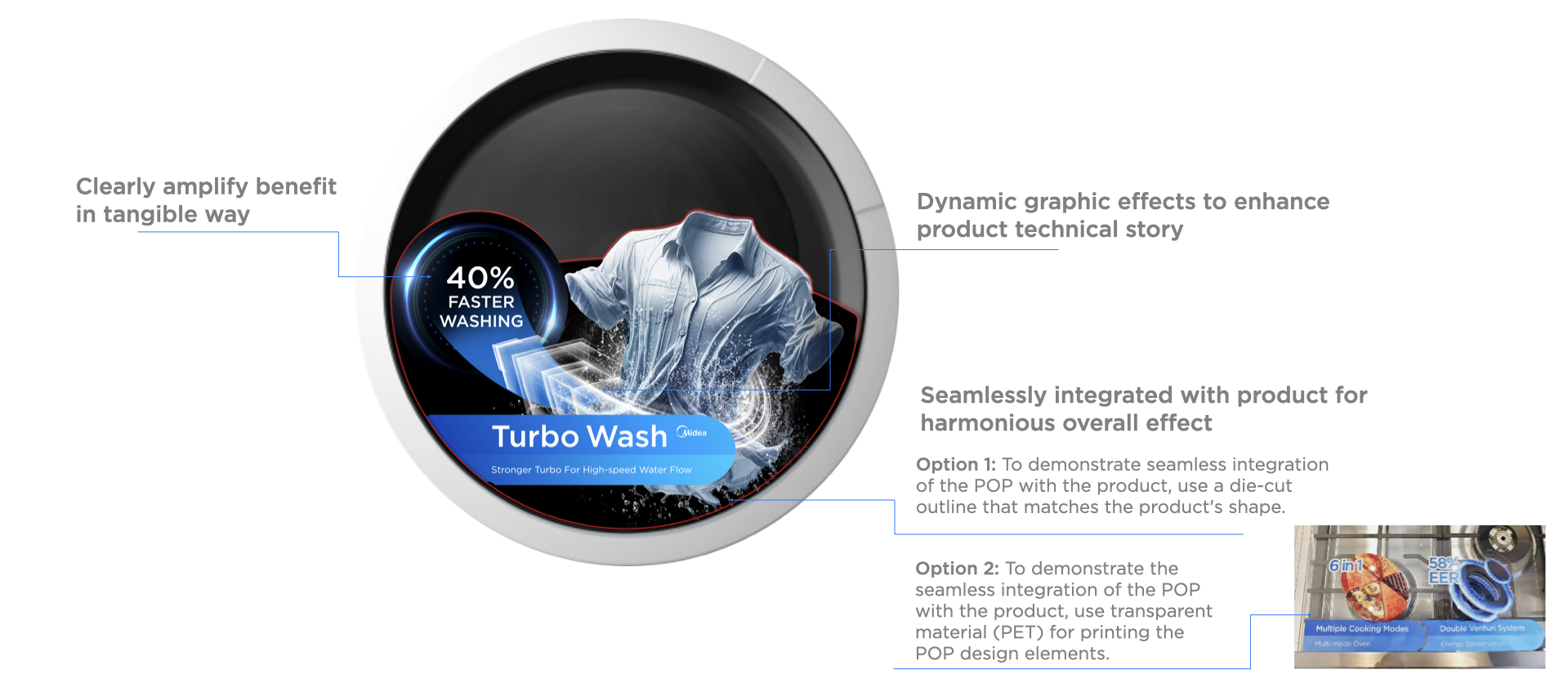
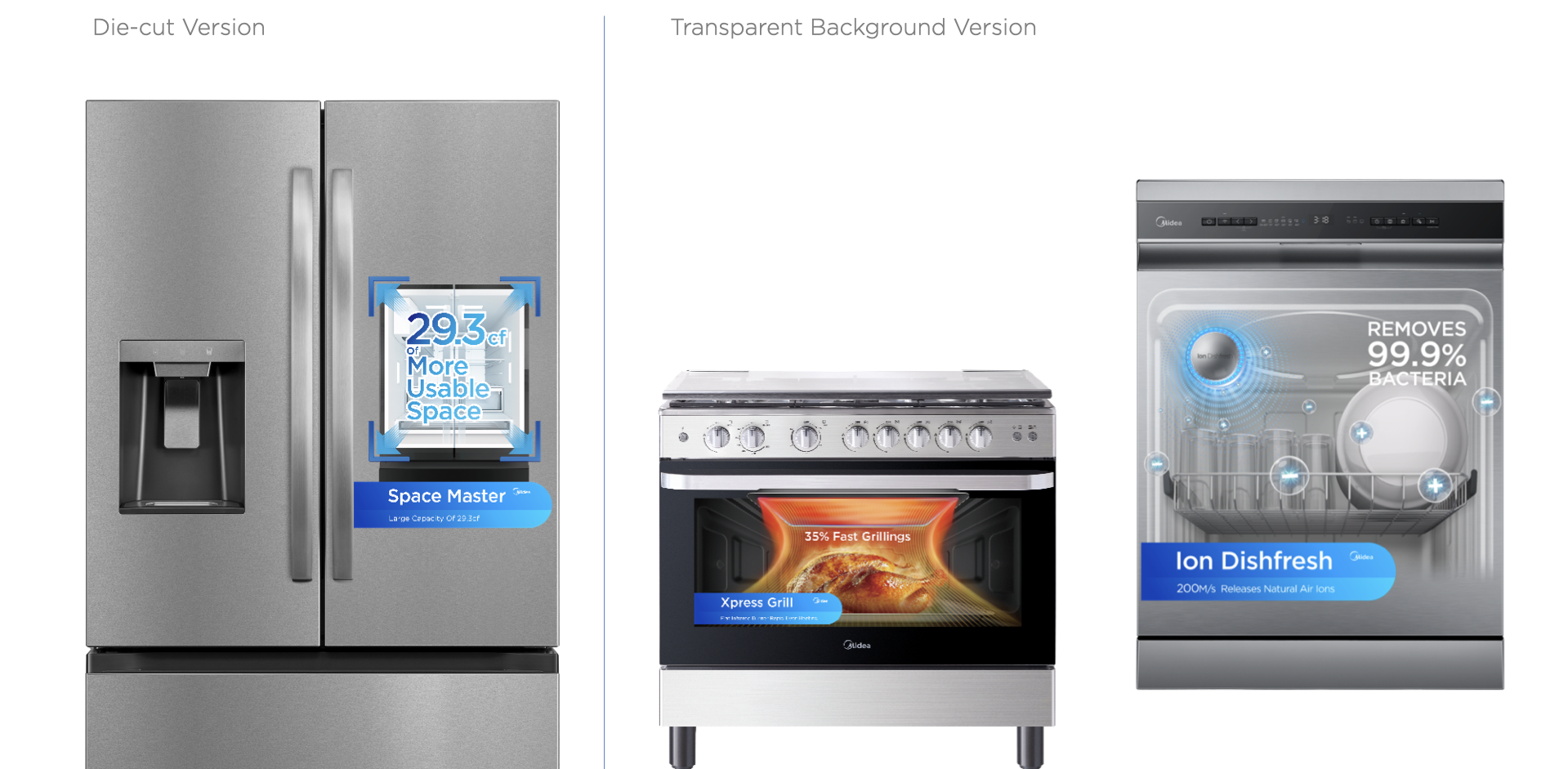
Note: The shape of die-cut can be flexibly designed.
Flexible Visual Application
Flexible Visual & Message Bar Application
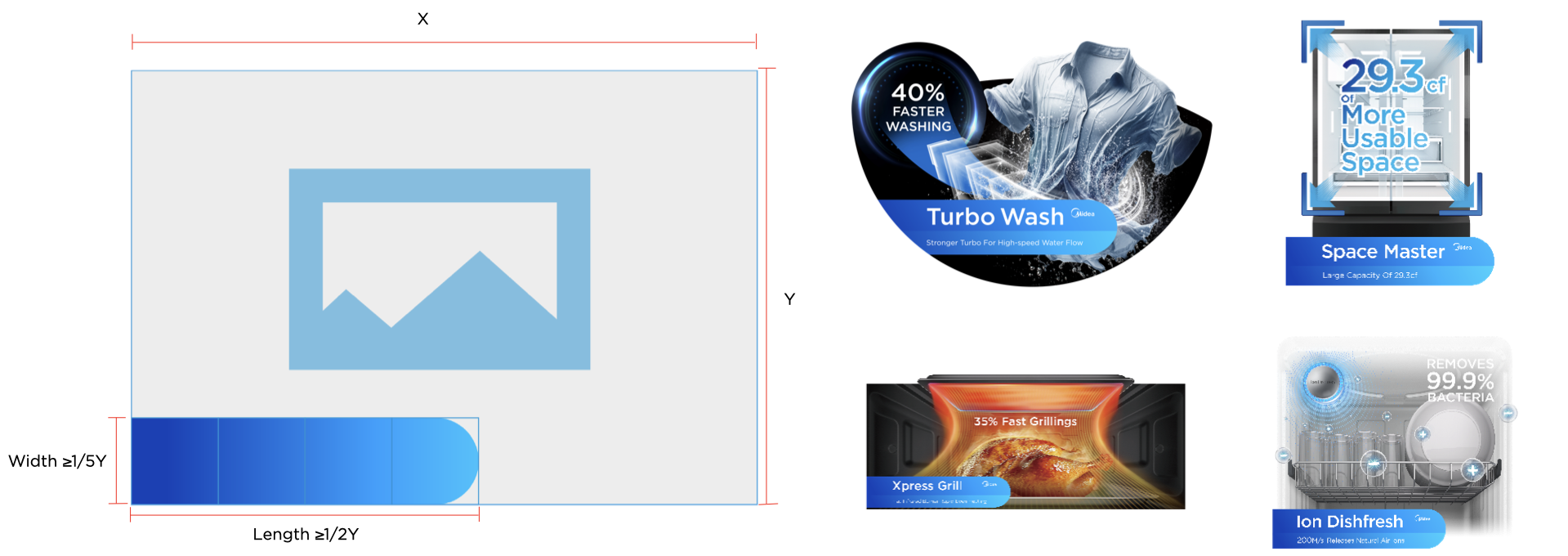
Flexible Layout Standard for Visual & Message Bar
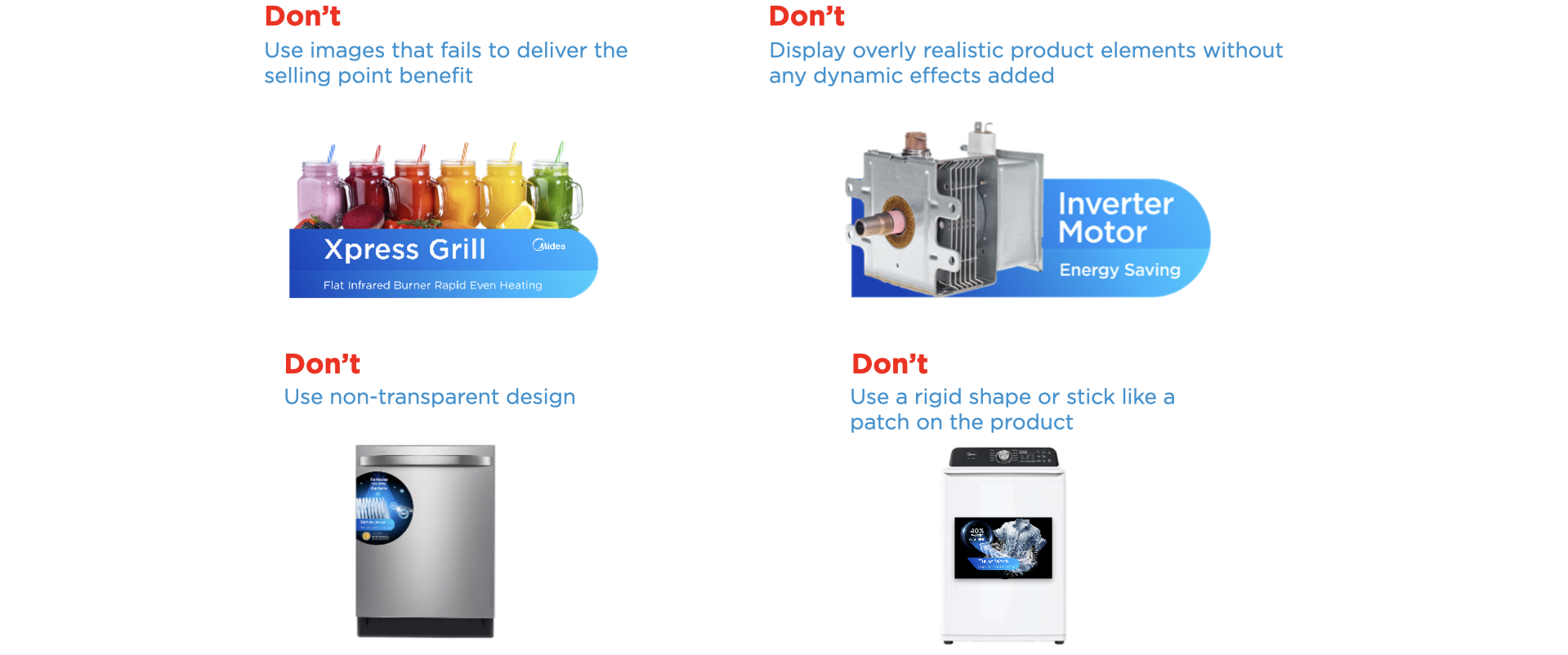
Flexible Visual Application Overview
By selecting high-quality images and following the visual principles, the benefits of the products are more directly conveyed and easy to understand. Ensure to avoid the Don’ts shown below.
Refrigerator POP Design
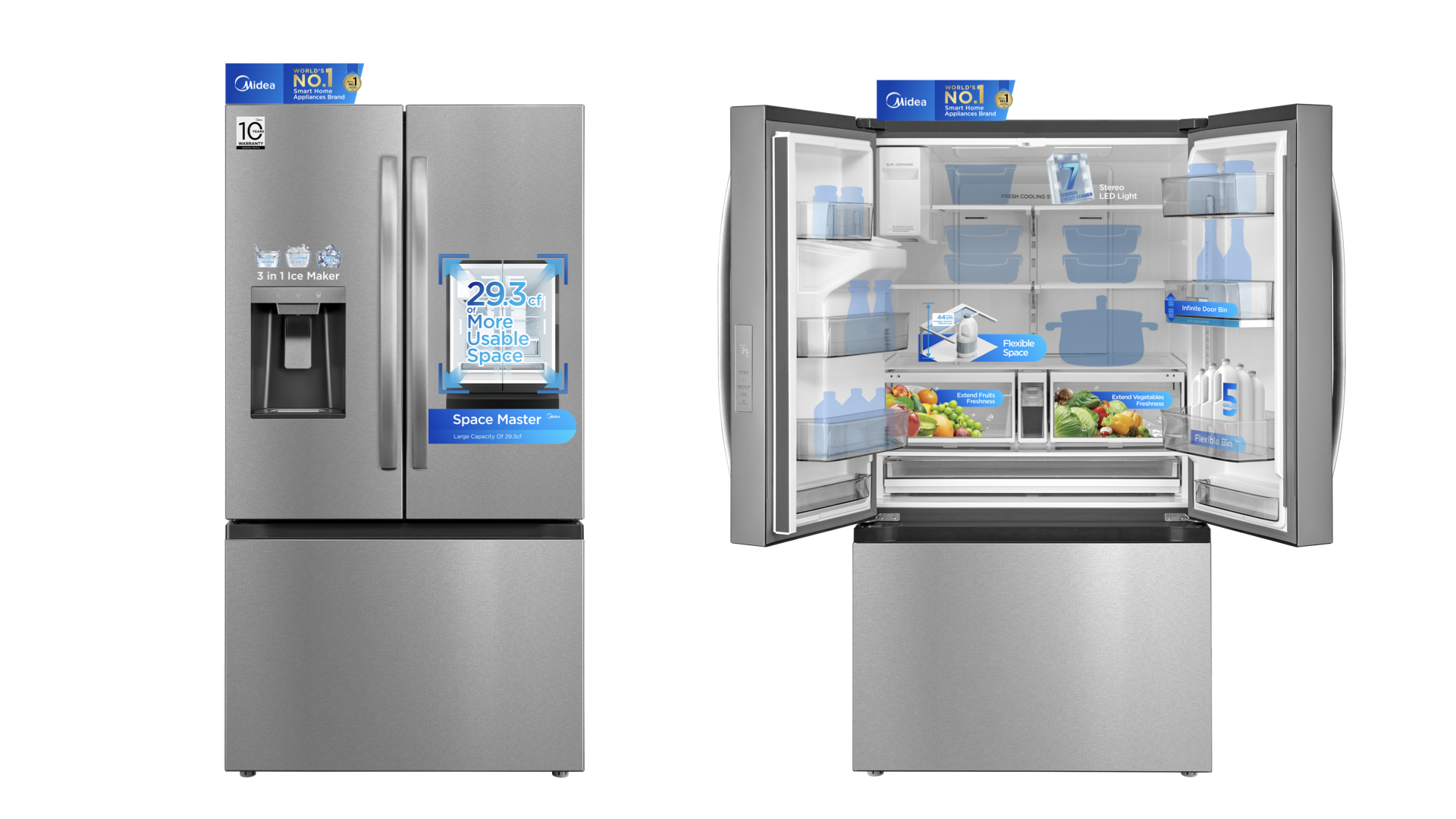
Note: Above designs are for DEMO ONLY. It is not required to apply all POP stickers for one product.
Washing Machine POP Design
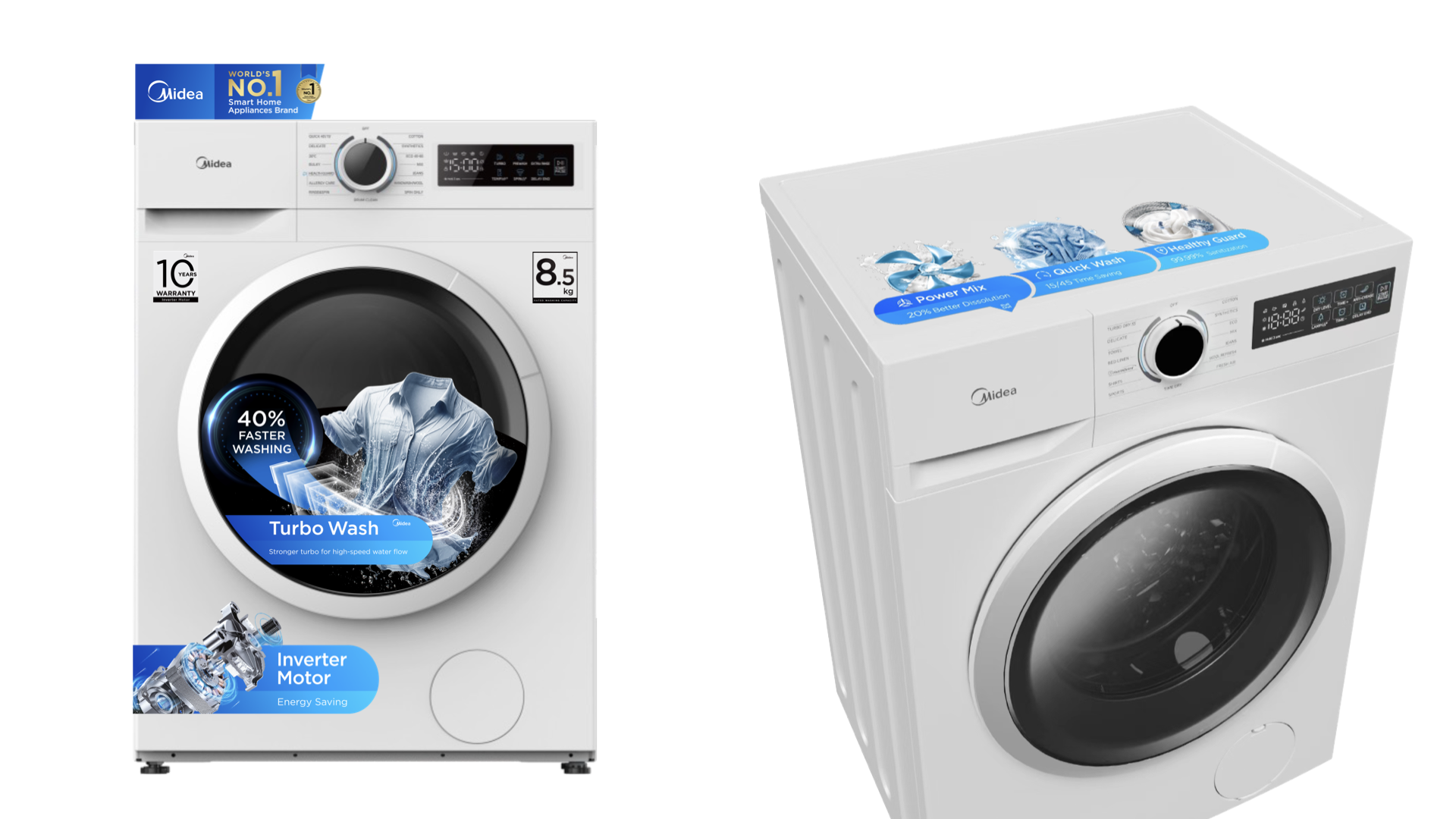
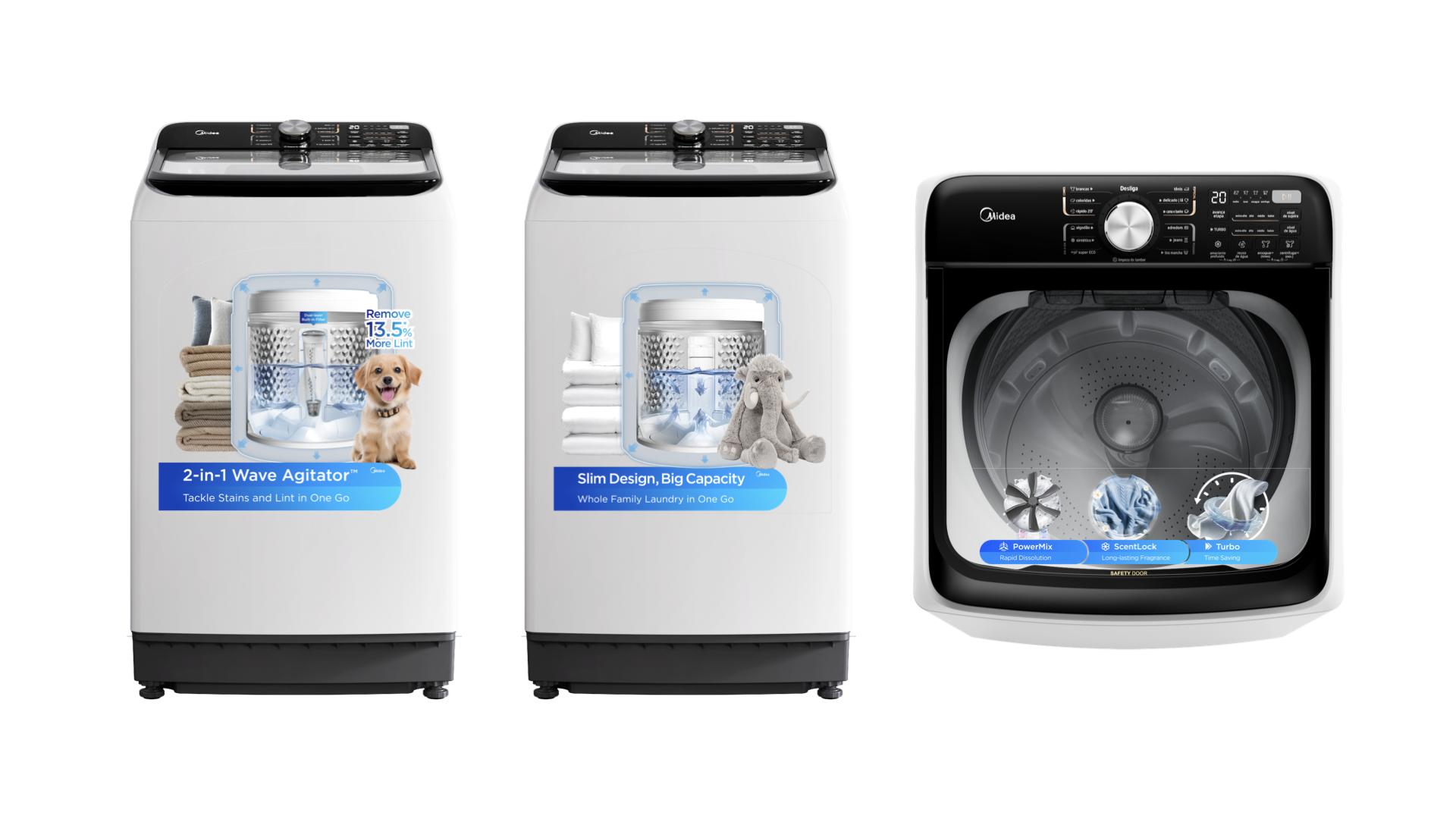
Note: Above designs are for DEMO ONLY. It is not required to apply all POP stickers for one product.
Air Conditioner POP Design
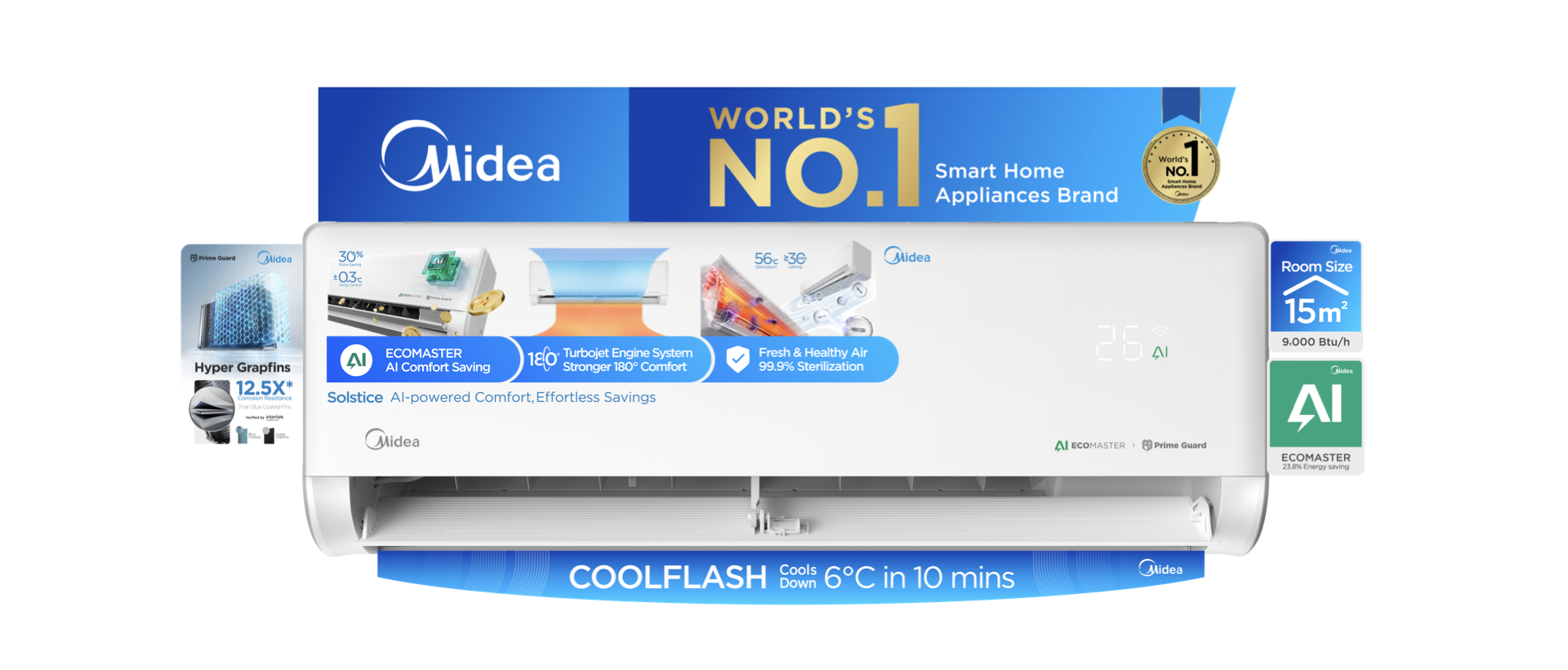
Note: Above designs are for DEMO ONLY. It is not required to apply all POP stickers for one product.
Oven POP Design
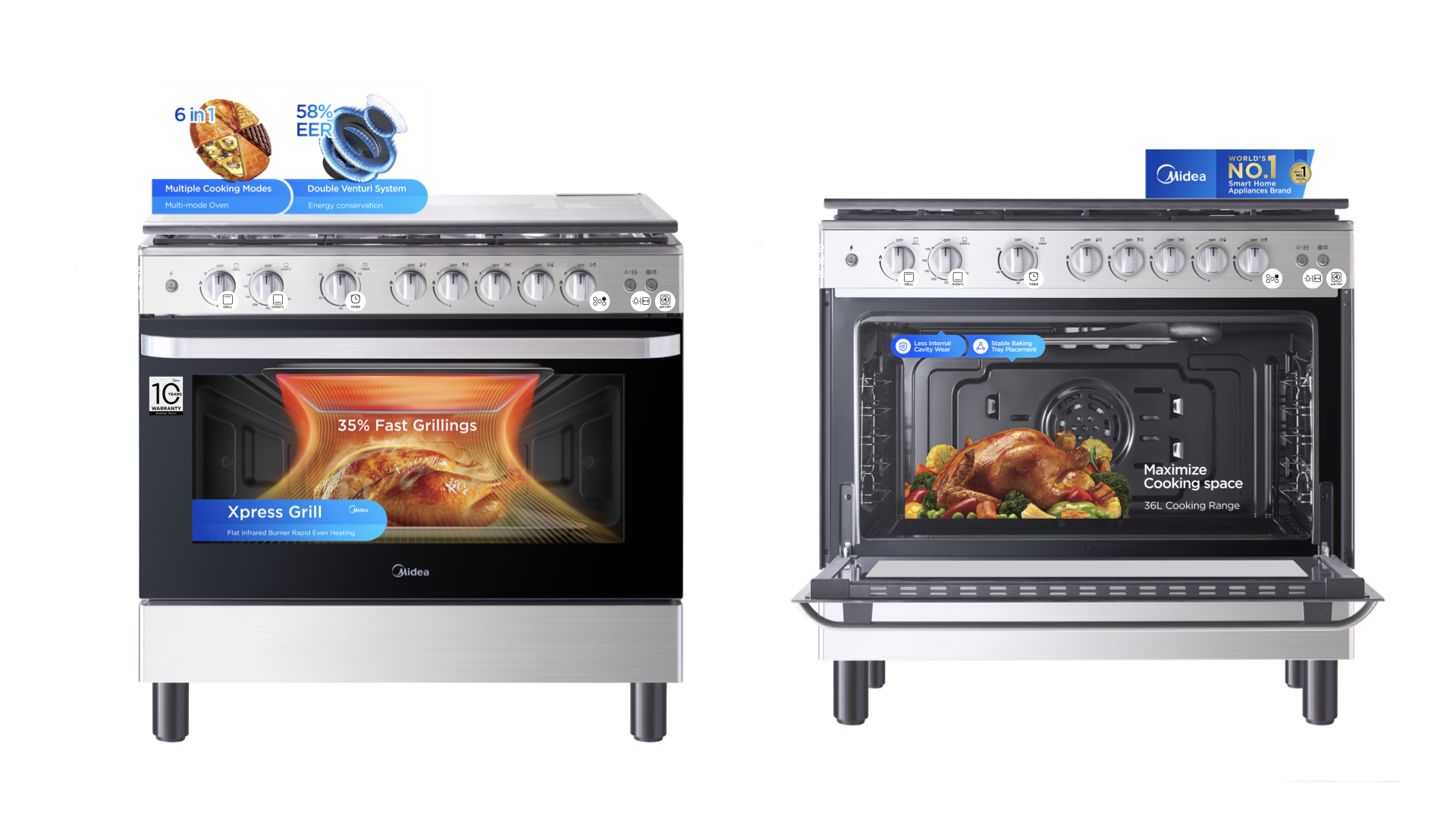
Note: Above designs are for DEMO ONLY. It is not required to apply all POP stickers for one product.
Dishwasher POP Design
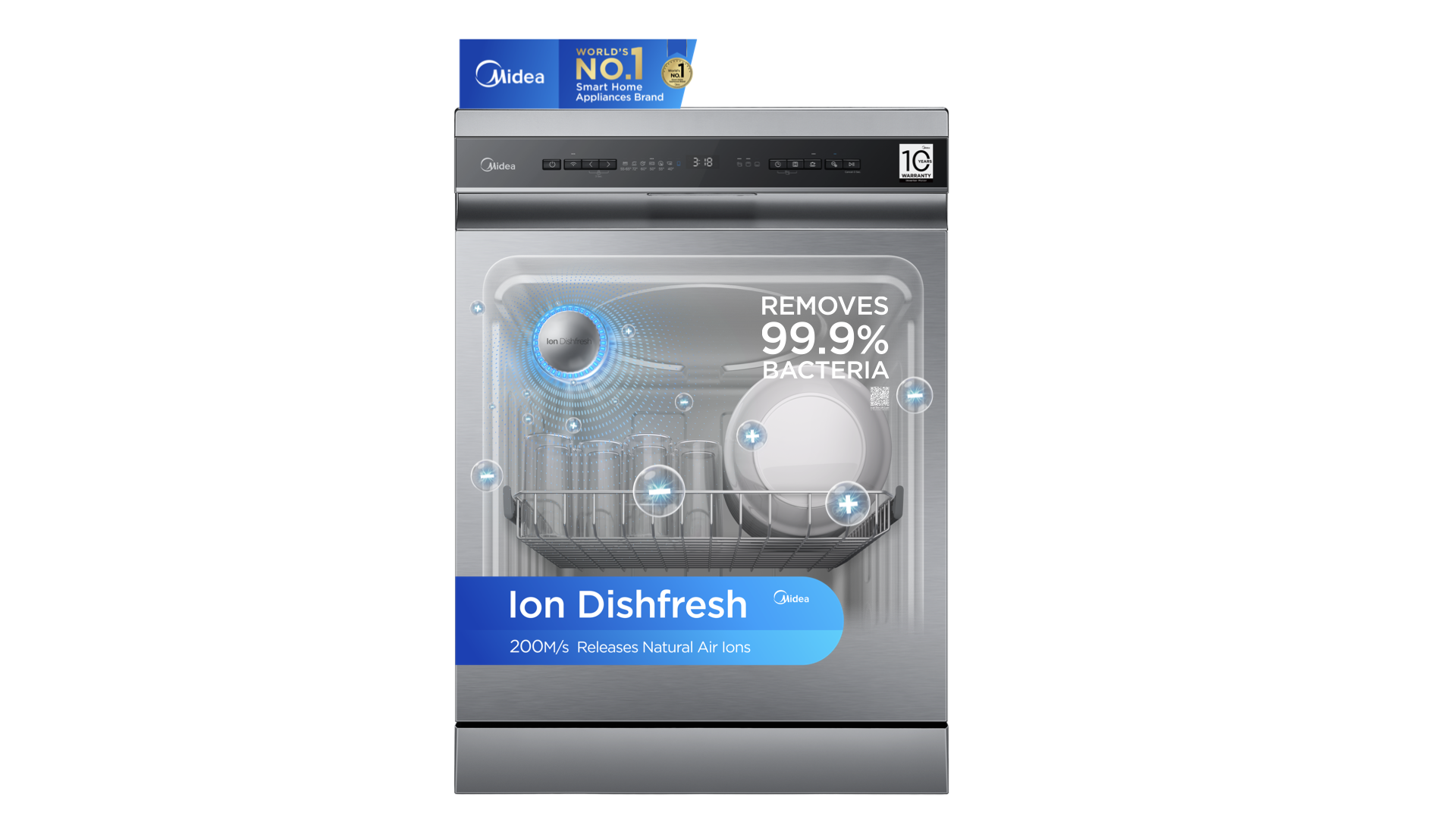
Note: Above designs are for DEMO ONLY. It is not required to apply all POP stickers for one product.
Air Fryer POP Design
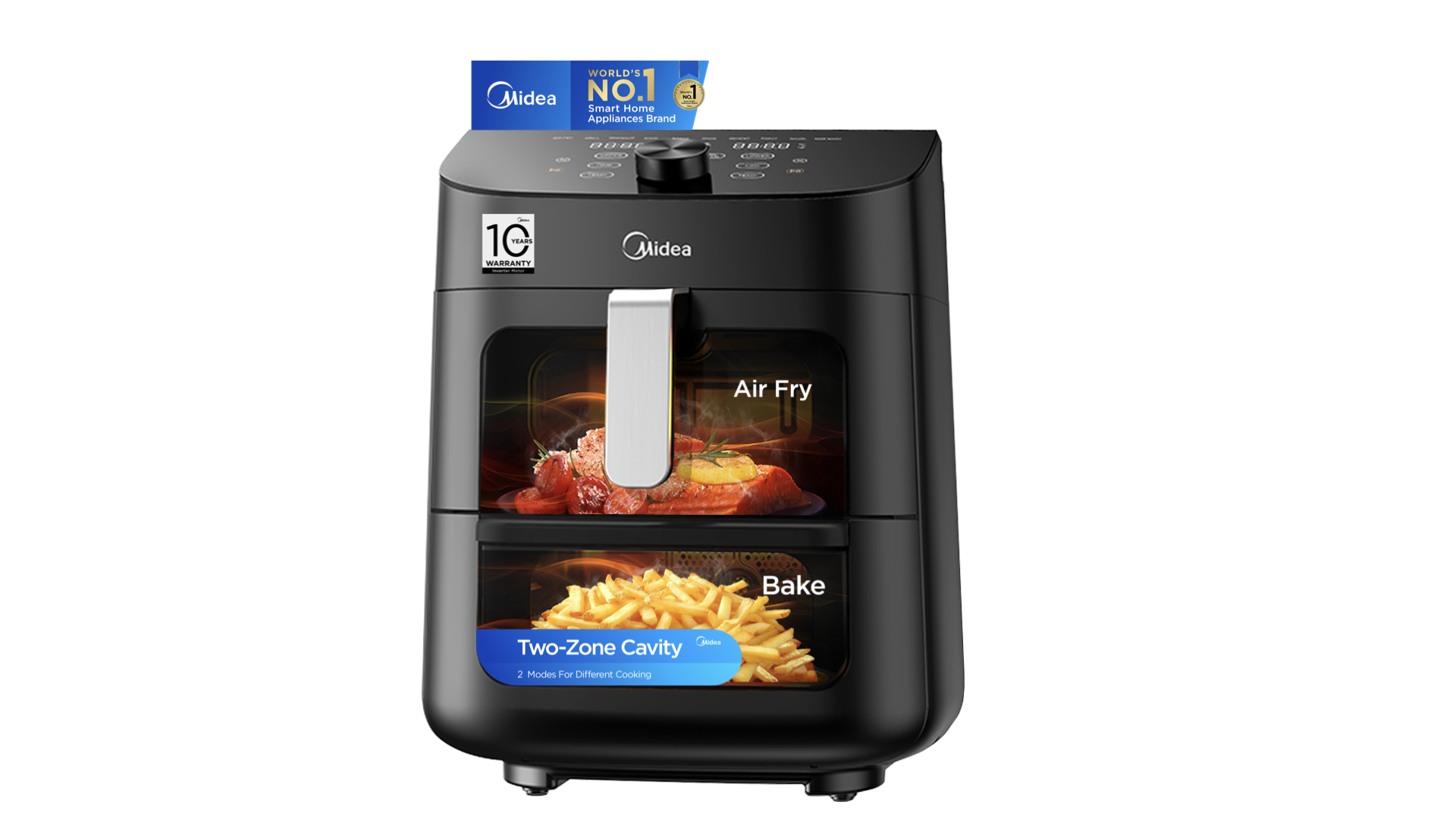
Note: Above designs are for DEMO ONLY. It is not required to apply all POP stickers for one product.
Water Purifier POP Design
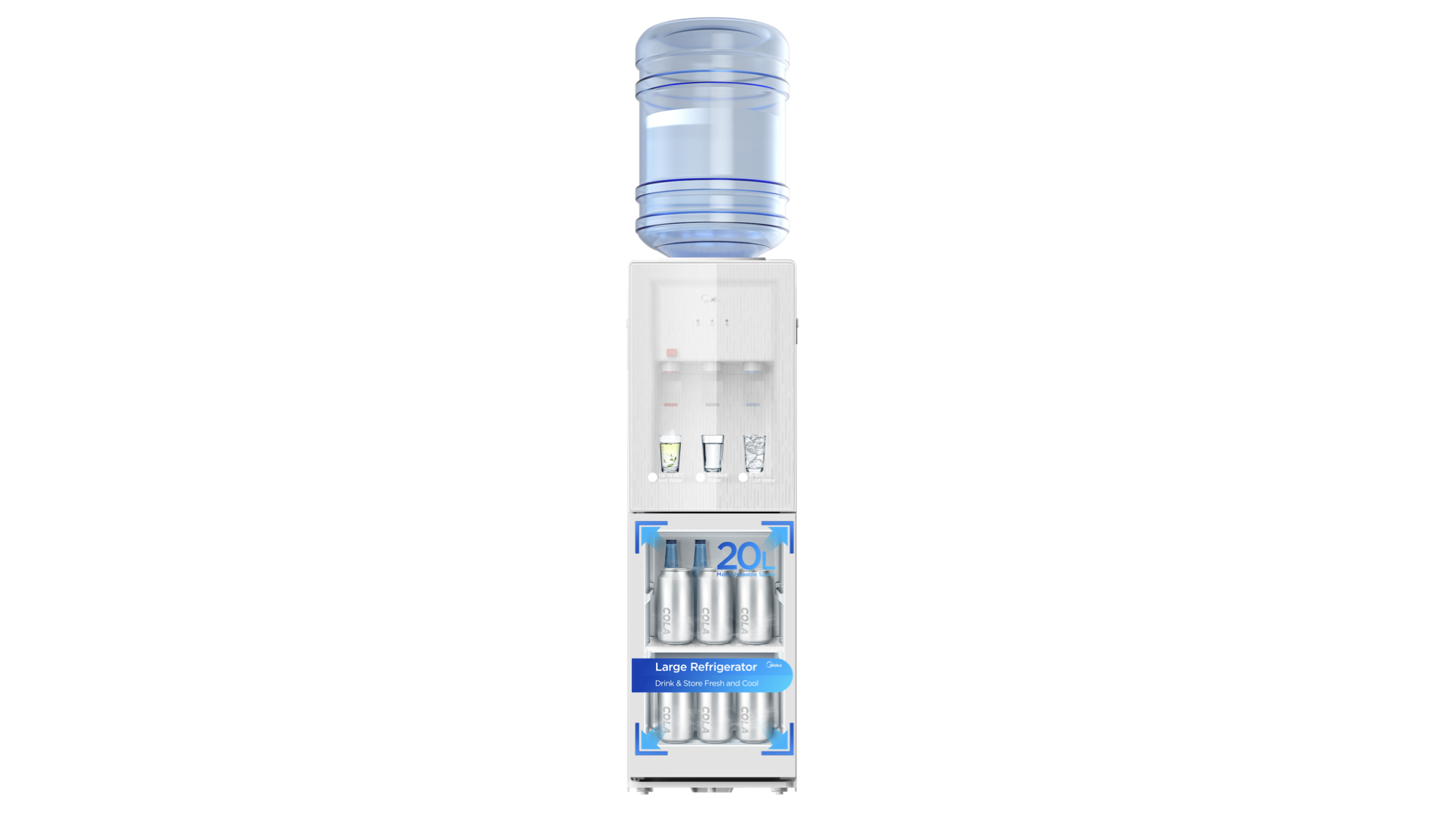
Note: Above designs are for DEMO ONLY. It is not required to apply all POP stickers for one product.
Vacuum Cleaner POP Design
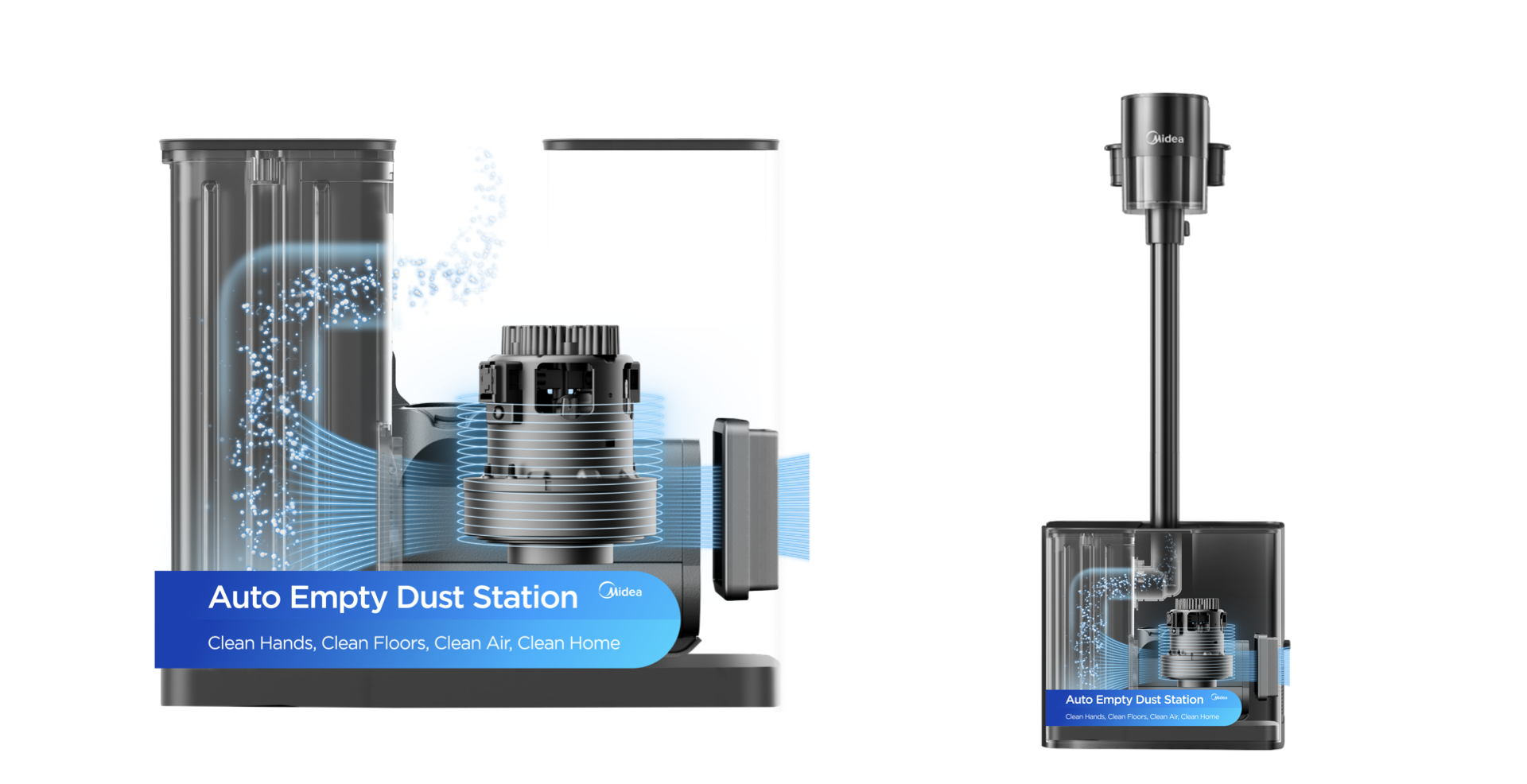
Note: Above designs are for DEMO ONLY. It is not required to apply all POP stickers for one product.
Vacuum Cleaner POP Design
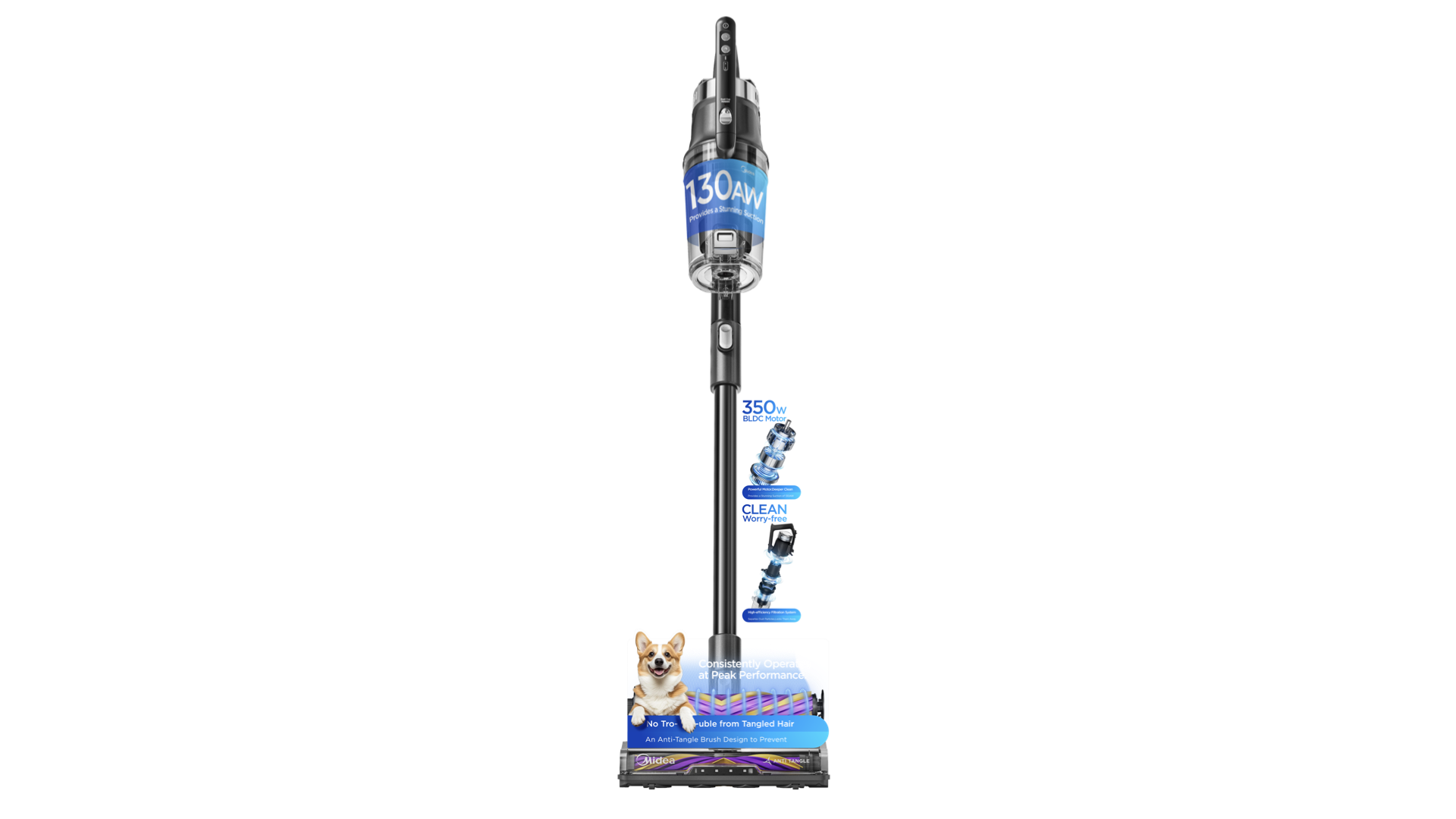
Note: Above designs are for DEMO ONLY. It is not required to apply all POP stickers for one product.
Robotic Vacuum Cleaner POP Design
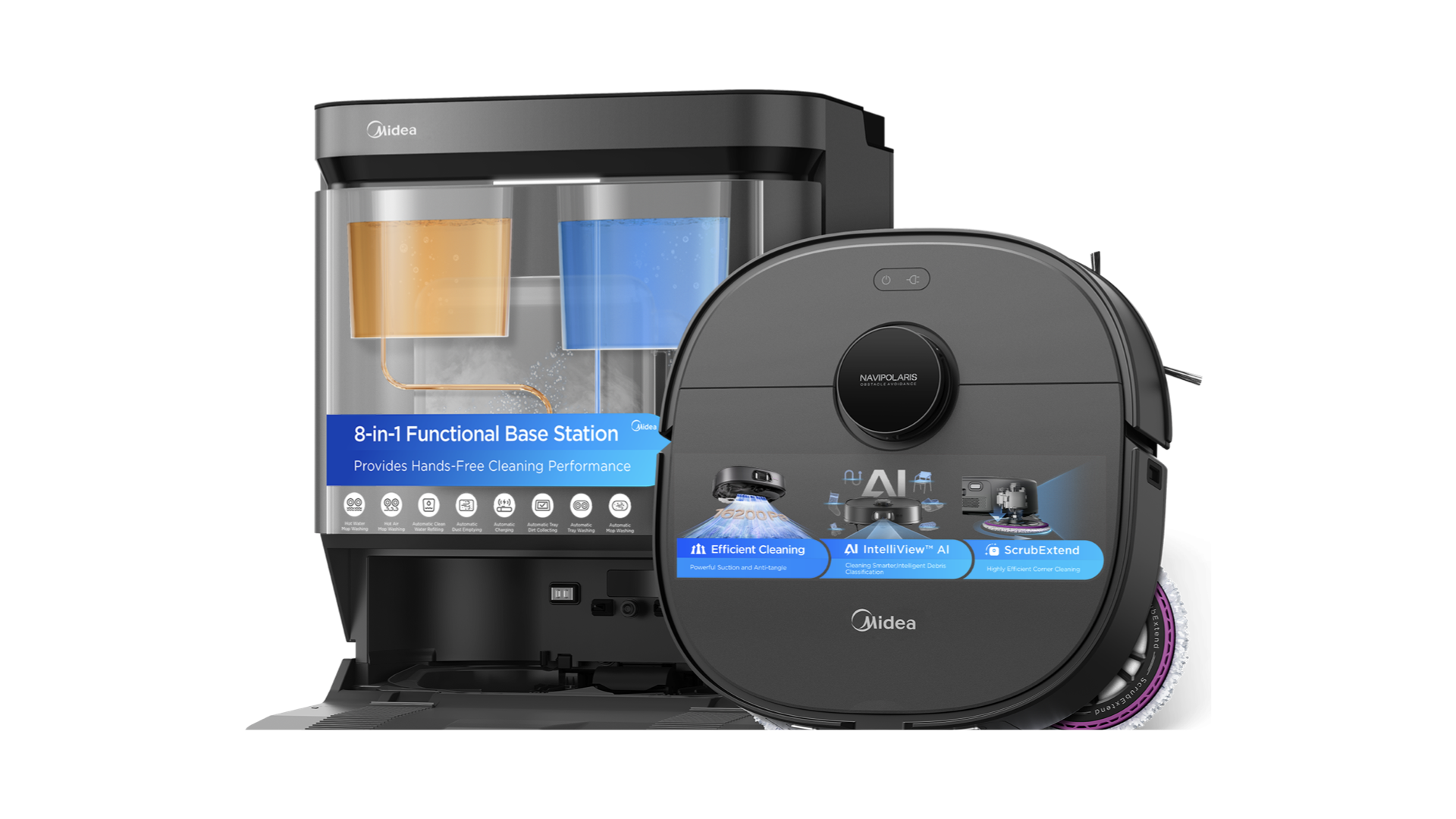
Note: Above designs are for DEMO ONLY. It is not required to apply all POP stickers for one product.
Water Heater POP Design
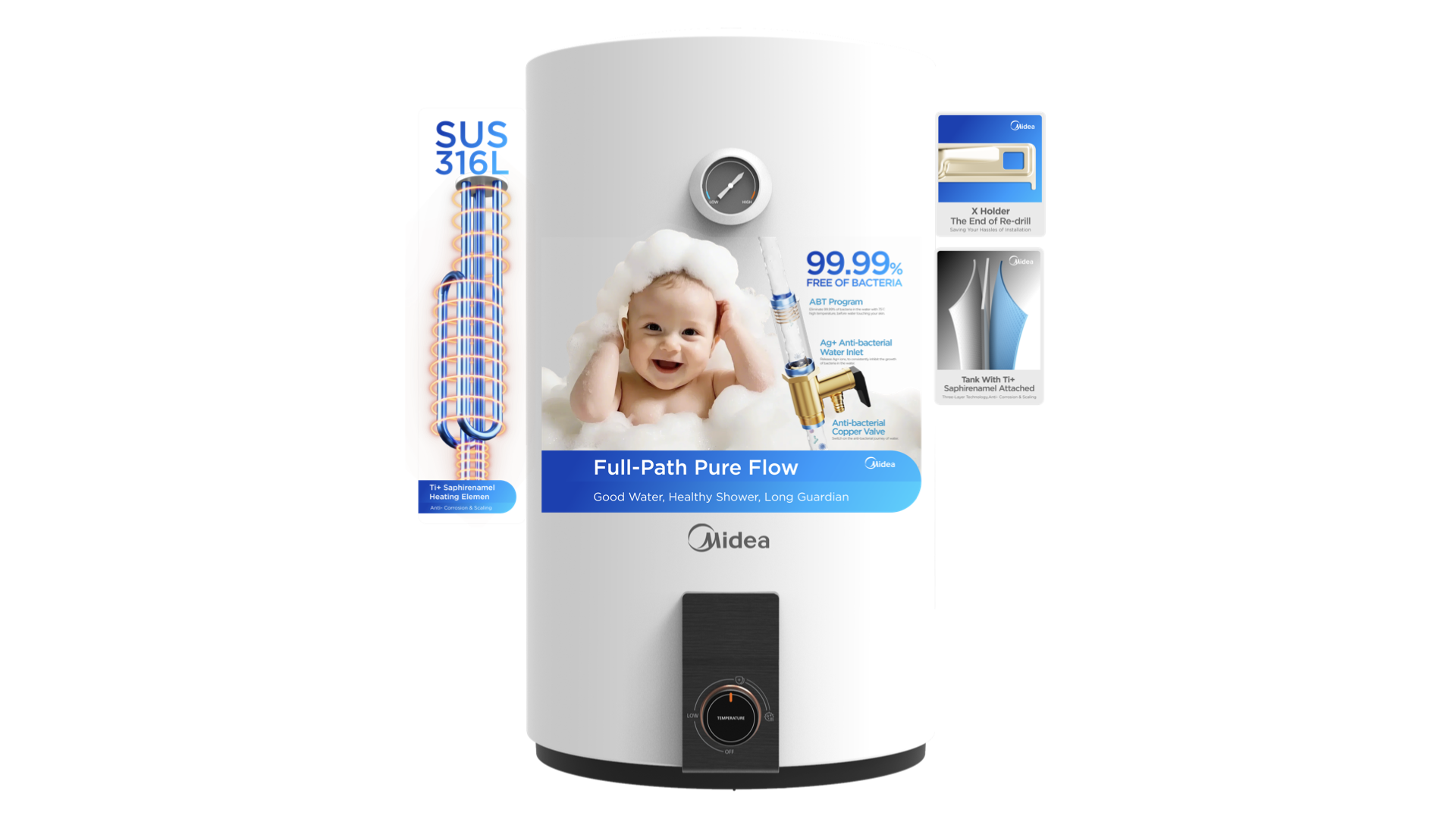
Note: Above designs are for DEMO ONLY. It is not required to apply all POP stickers for one product.
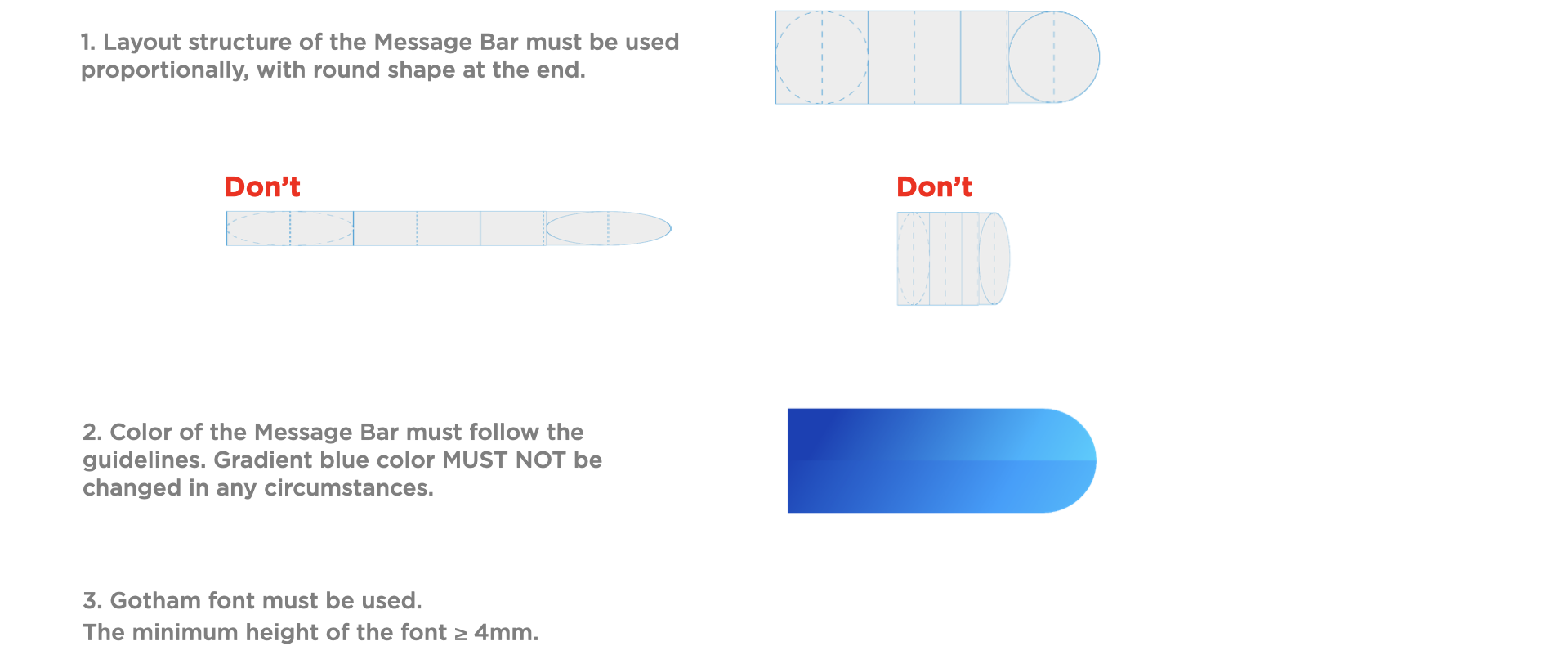
Key Messages
The messaging hierarchy should flow naturally with simple and clear communication.
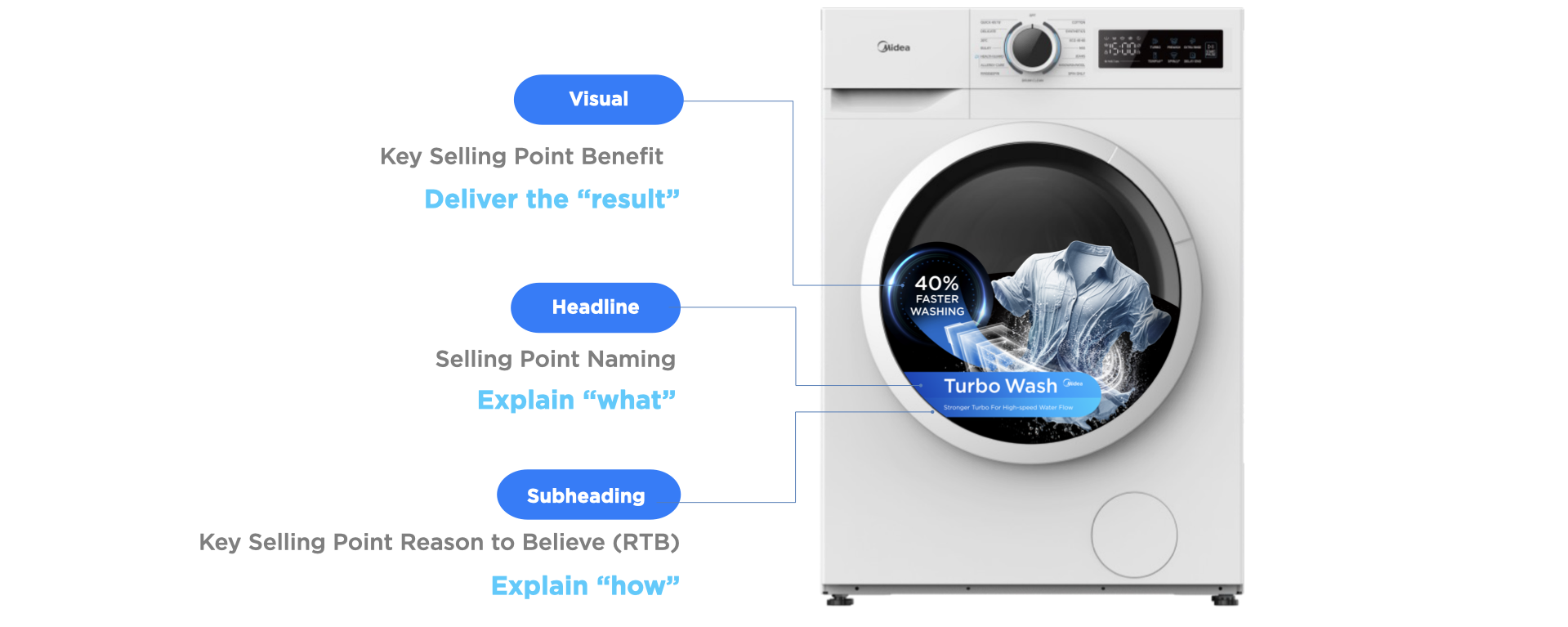
Key Message Bar
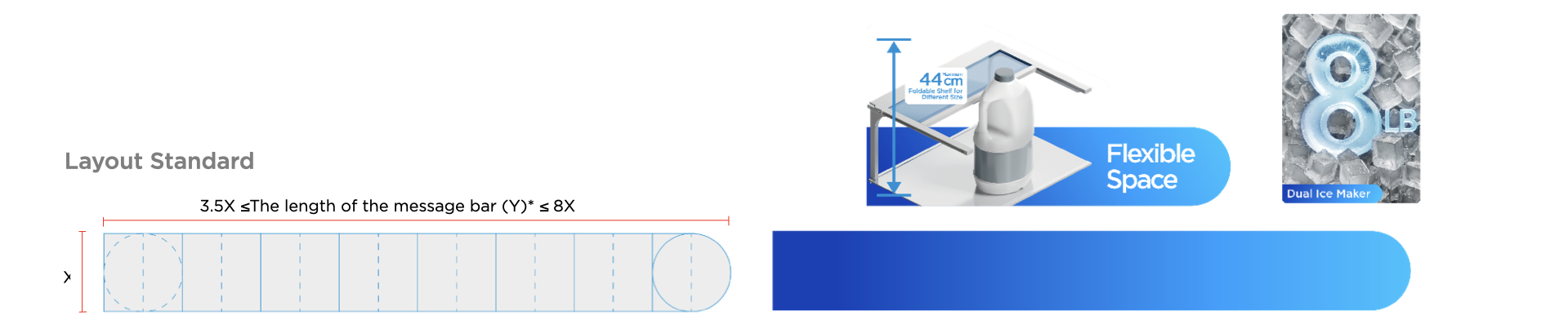
1 Layout Standard
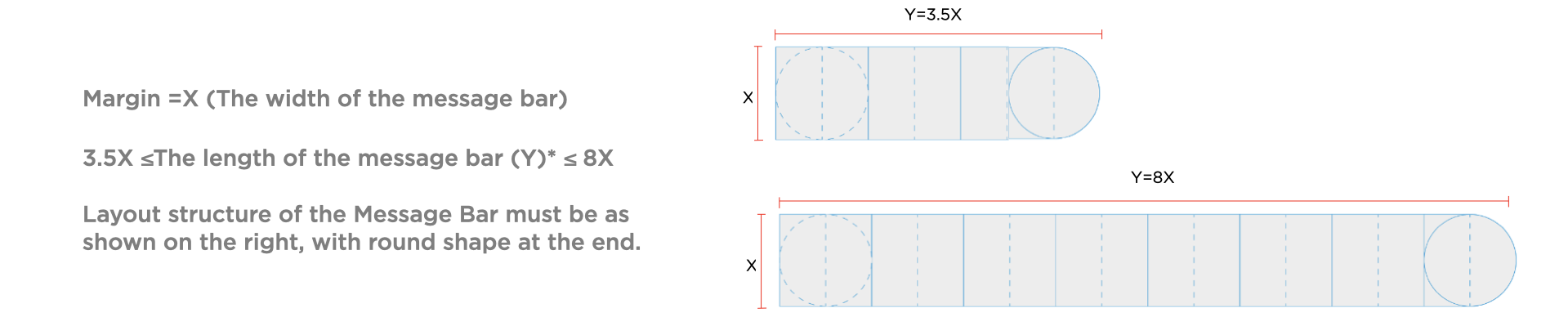
Base on the message hierarchy, the message bar can be divided into 2 layouts.

Note: The length of the message bar depends on the word count of messages.
2 Type Font Standard

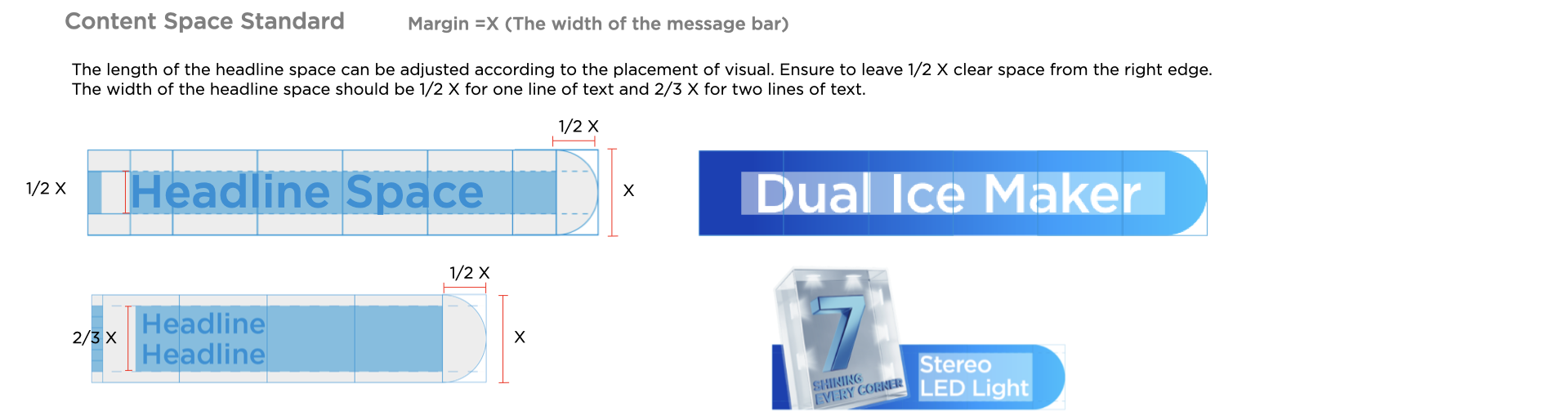
3 Content Space Standard
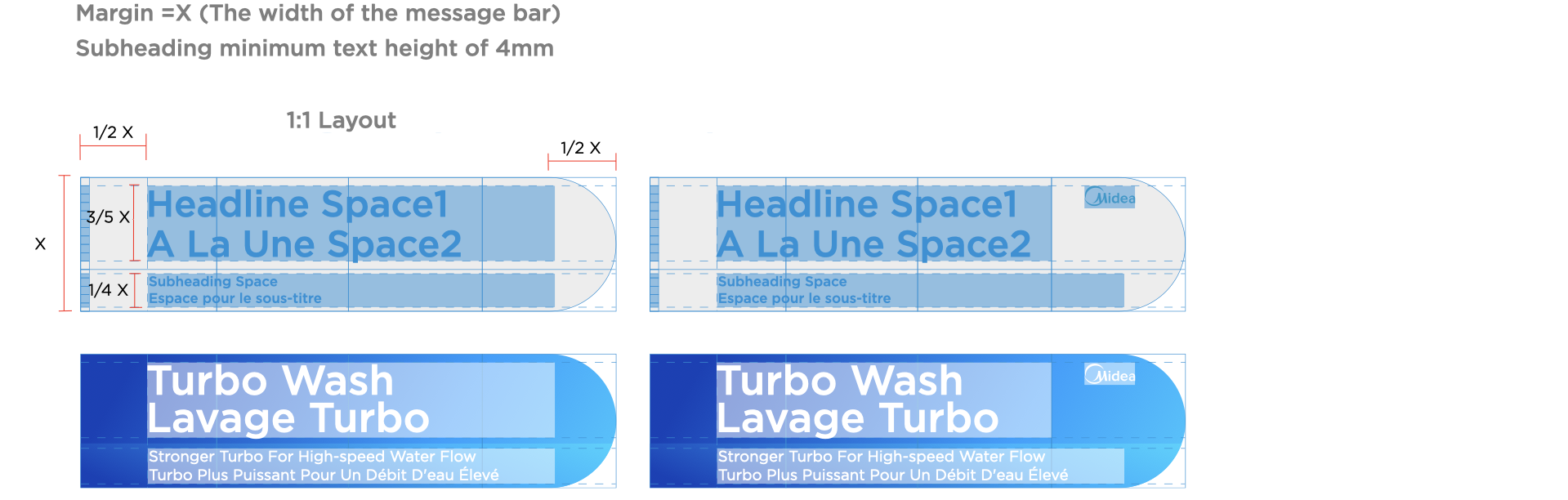
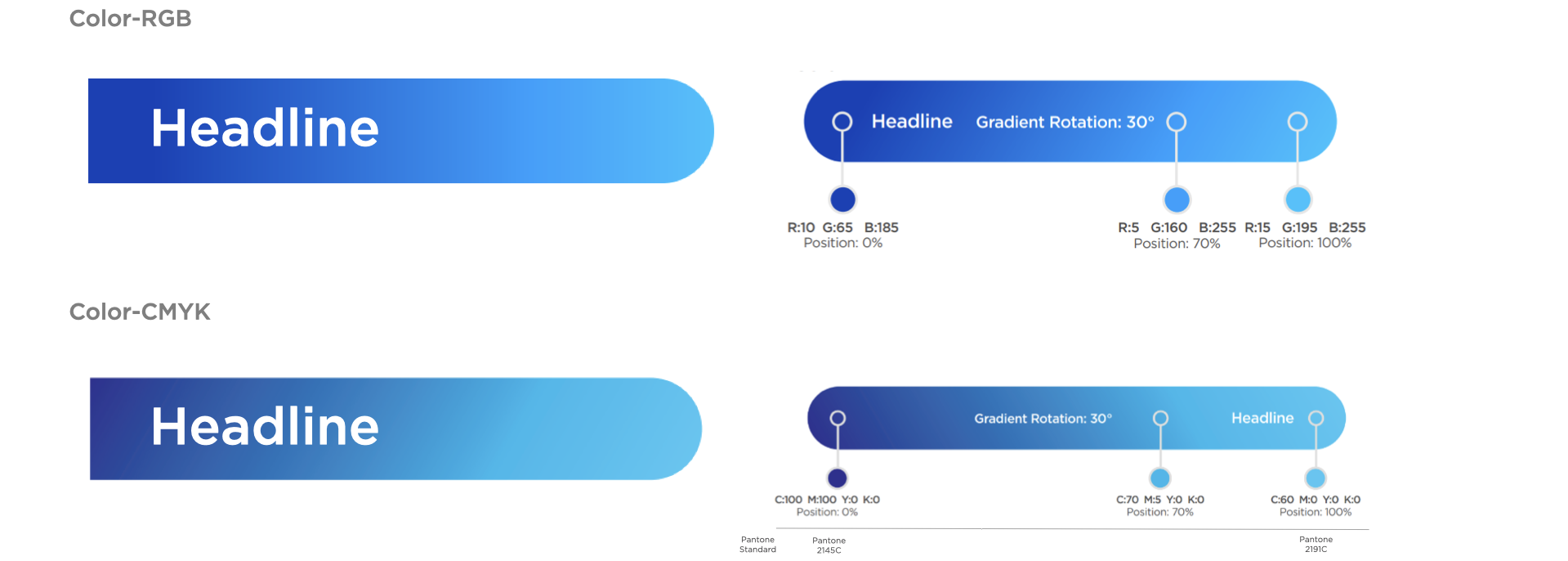
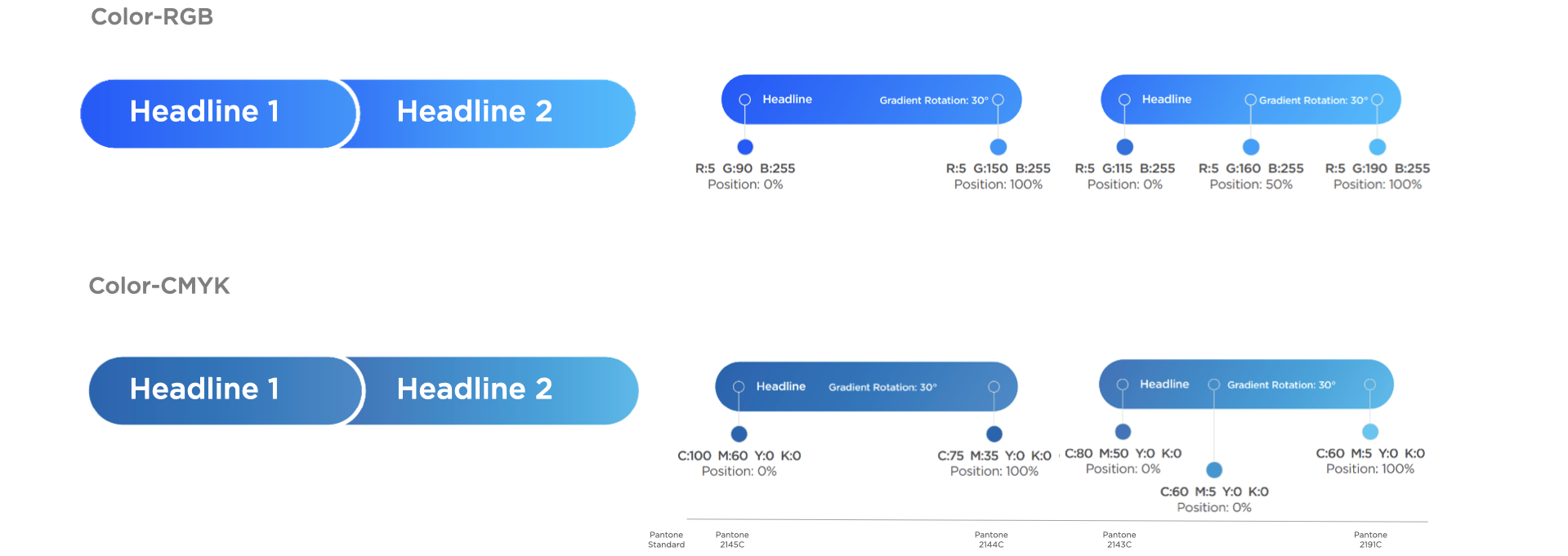
4 Color Standard
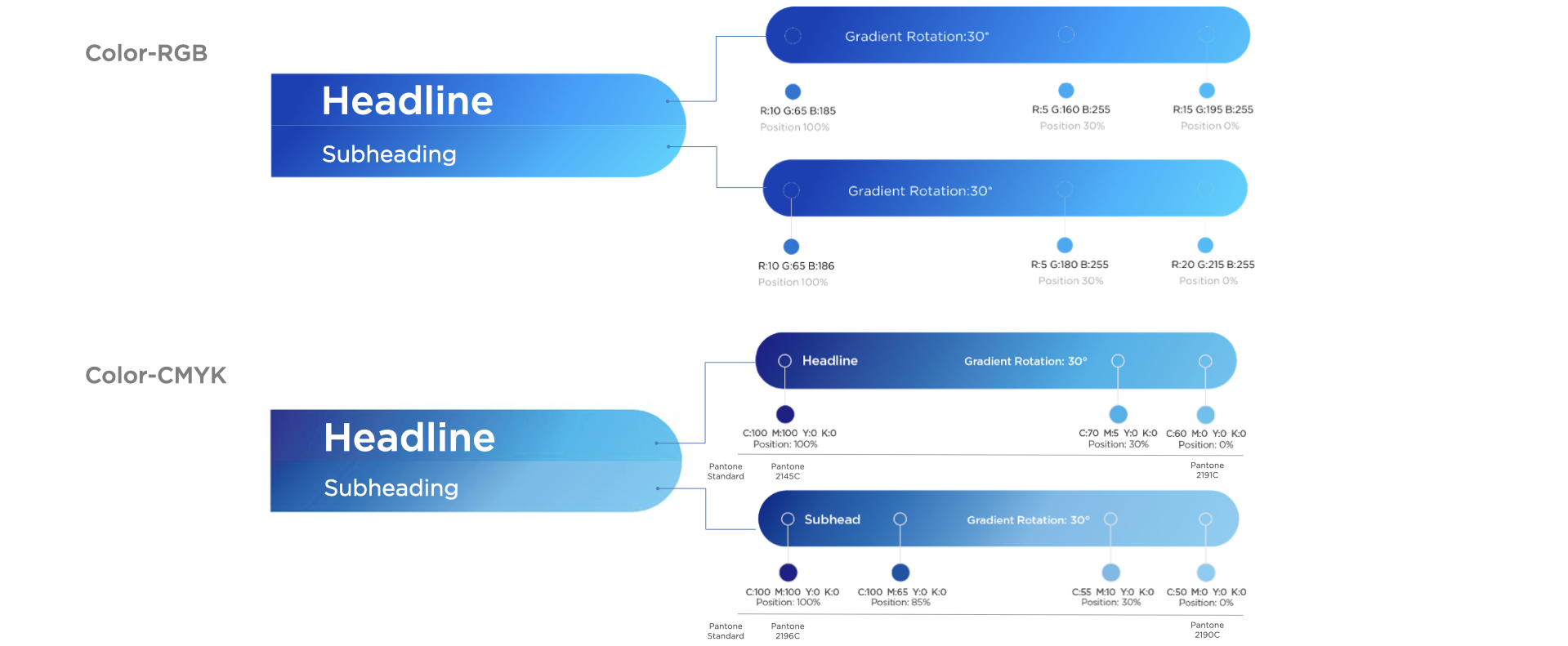
Note: For clear RGB and CMYK color layout, please download message bar layout working file from brand book. Please make sure the printing could meet the PANTONE color standard. The message bar should be elongated proportionally according to designs and sustain the gradient color effect.
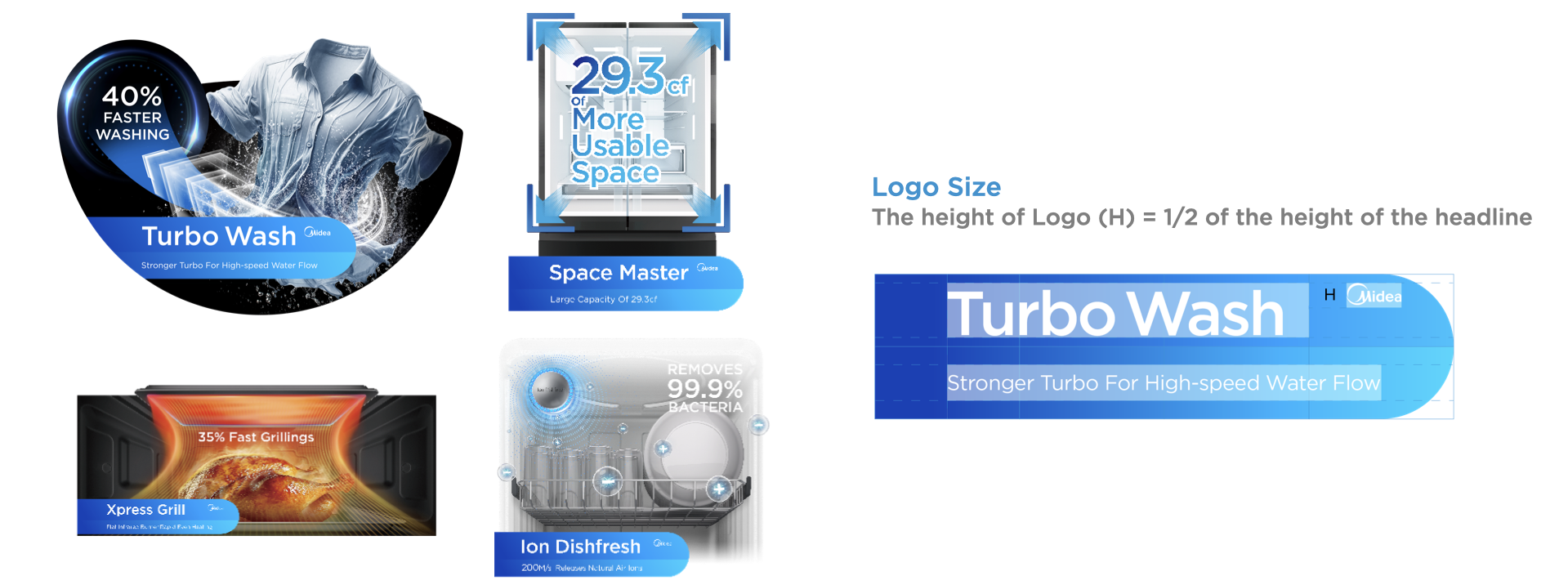
Key Message Bar-Midea Logo Exposure Principle
Midea logo on key message POP is optional.
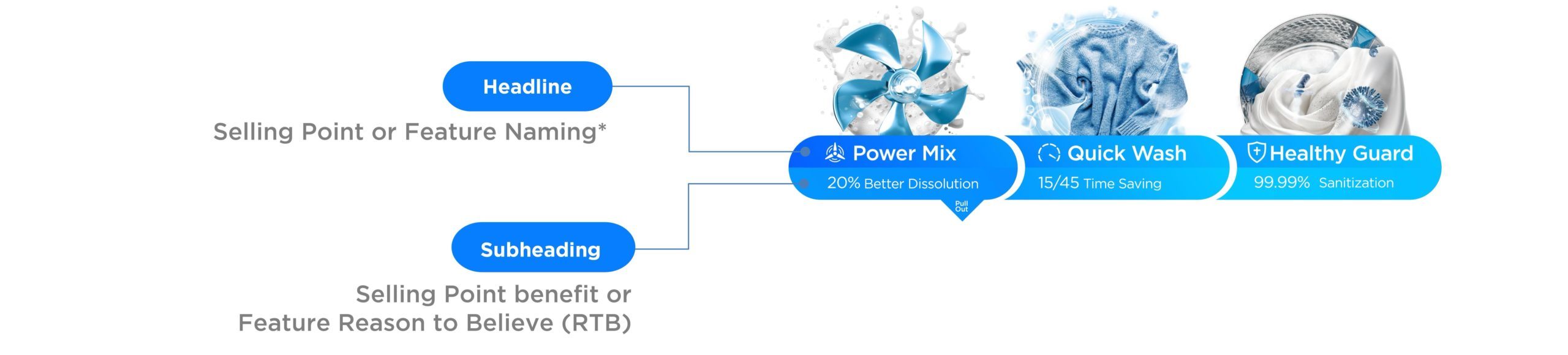
In scenarios where the visual is especially strong and conveys the product features, then subheadings may be removed.

Note: Headline message of selling point naming or feature naming can be flexibly decided according to products.
Standard Message Application 1


Note: Type font standard is same as the font of key message POP.
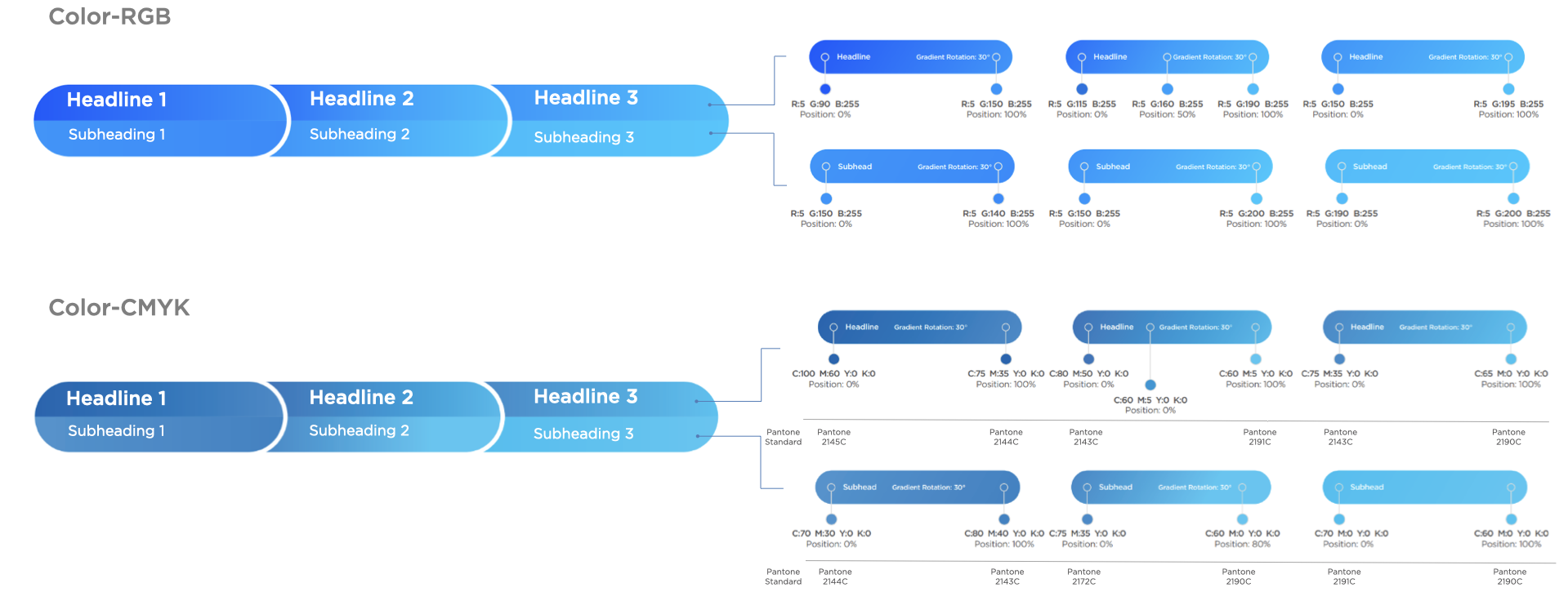
Note: For clear RGB and CMYK color layout, please download message bar layout working file from brand book. Please make sure the printing could meet the PANTONE color standard. The message bar should be elongated proportionally according to designs and sustain the gradient color effect.
Standard Message Application 1-1


Note: Type font standard is same as the font of key message POP.
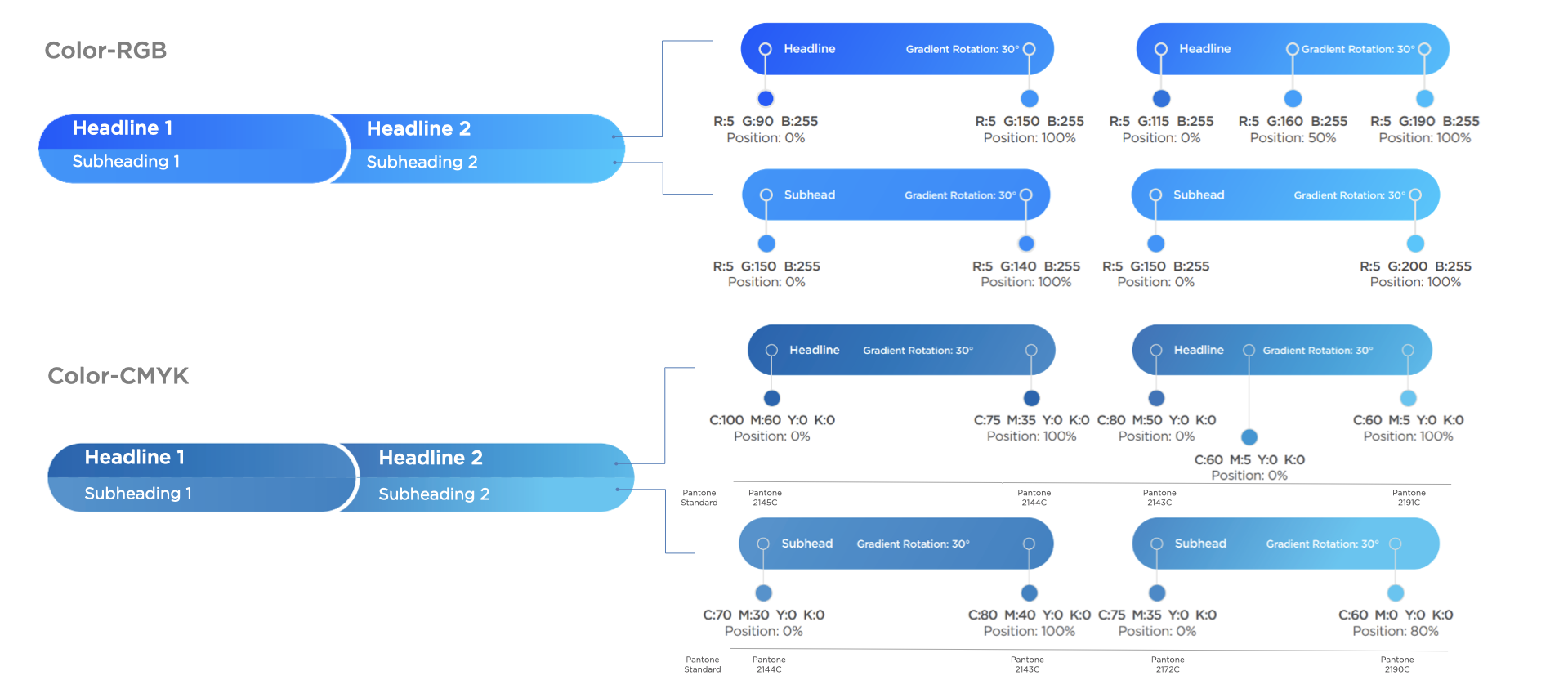
Note: For clear RGB and CMYK color layout, please download message bar layout working file from brand book. Please make sure the printing could meet the PANTONE color standard. The message bar should be elongated proportionally according to designs and sustain the gradient color effect.
Standard Message Application 2
Note: Type font standard is same as the font of key message POP.
Note: For clear RGB and CMYK color layout, please download message bar layout working file from brand book. Please make sure the printing could meet the PANTONE color standard. The message bar should be elongated proportionally according to designs and sustain the gradient color effect.
Standard Message Application 3


Note: Type font standard is same as the font of key message POP.
Note: For clear RGB and CMYK color layout, please download message bar layout working file from brand book. Please make sure the printing could meet the PANTONE color standard. The message bar should be elongated proportionally according to designs and sustain the gradient color effect.
Standard Message Bar-Midea Logo Exposure Principle
For standard POPs, the decision to incorporate the logo is adaptable.
Application
1. Put logo following headline, if there is space in the message bar.
2. Put logo on the right top of transparent area of visual, if there is no space in the message bar

Logo Size
Minimum height of Logo (H) ≥ 4mm